August 19, 2026 · Updated August 23, 2026 · 12 min read
What Size Photo Should You Use for an Instagram Profile?
On this page
- The Official Instagram Profile Picture Size
- Why Instagram Uses a Circular Crop
- Choosing the Right File Format: JPG vs. PNG
- How to Make Your Profile Picture Look Sharp
- Best Practices for Personal Instagram Profile Photos
- Best Practices for Business and Brand Profile Pictures
- Common Instagram Profile Picture Mistakes to Avoid
- A Simple Checklist Before You Upload
- Frequently Asked Questions
- Conclusion
What Size Photo Should You Use for an Instagram Profile?
Your Instagram profile photo is small, but it does a lot of heavy lifting. It appears beside your posts, comments, Stories, messages, search results, and notifications—often at a size where tiny details disappear. Whether you represent a personal account, a growing business, or an established brand, choosing the right Instagram profile picture size helps you look clear, credible, and instantly recognizable.
The goal is not simply to upload the largest image possible. Your photo needs to survive Instagram’s circular crop, display sharply on mobile devices, and remain understandable when reduced to a tiny icon. This guide explains exactly what dimensions to use, how to prepare the image, and how to create a profile picture that works in real-world viewing conditions.
Key Takeaways
- Use a square image sized at 320 × 320 pixels for your Instagram profile photo.
- Design for a circular crop, even though Instagram accepts a square upload.
- Keep faces, logos, and important details centered with generous spacing around them.
- Export your image as a high-quality JPG or PNG in the sRGB color profile.
- Test the image at a small size before publishing to ensure it remains recognizable.
- Refresh your profile picture only when it supports a clear branding or positioning change.
The Official Instagram Profile Picture Size
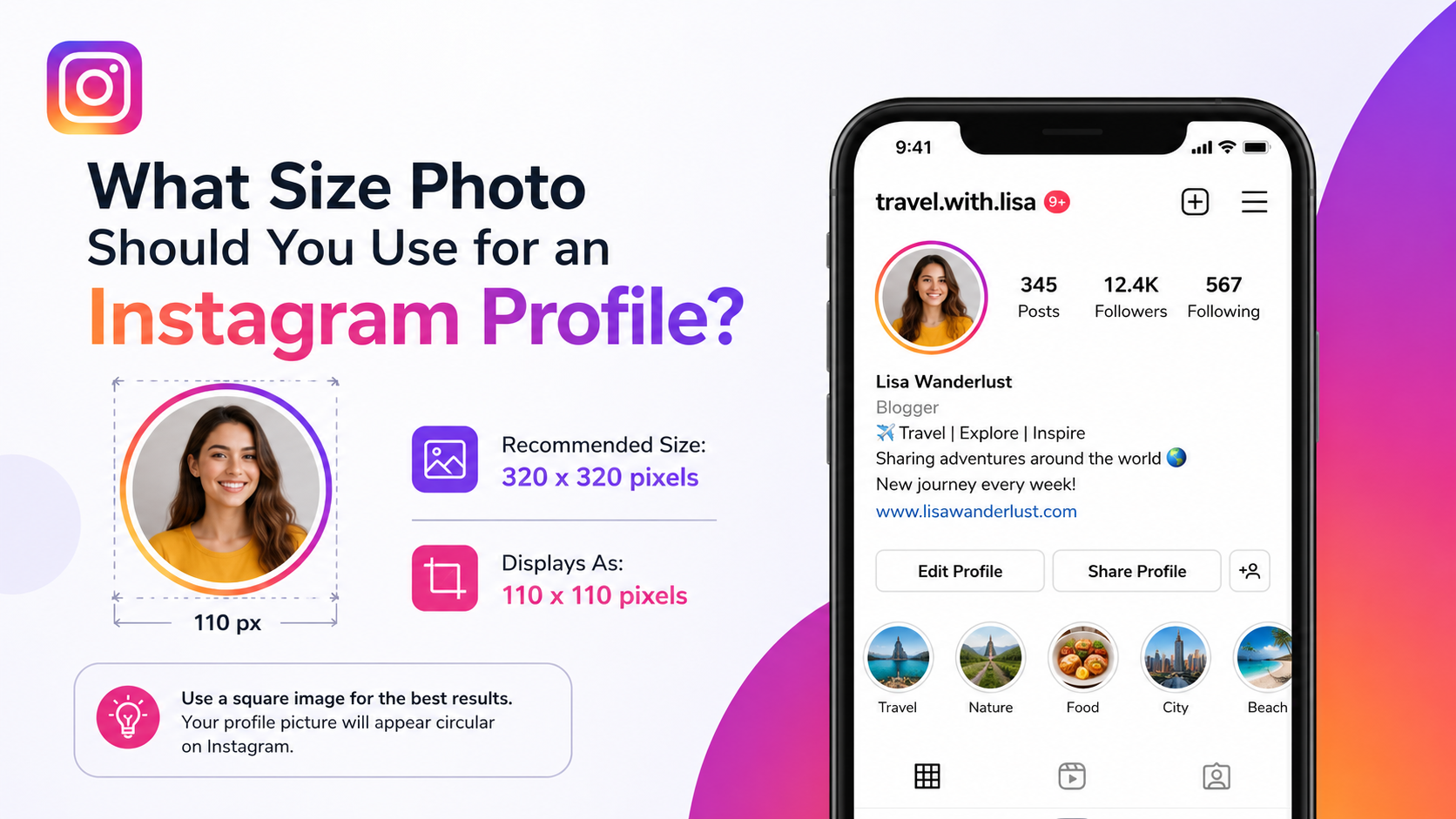
The recommended Instagram profile picture size is 320 × 320 pixels. Instagram displays profile images in a square format at this resolution, but it presents them to viewers inside a circle.
This means your uploaded file should be square, while your design should account for circular cropping.
Recommended dimensions at a glance
| Element | Recommended Specification | |---|---| | Upload dimensions | 320 × 320 pixels | | Image shape | Square | | Display shape | Circle | | Aspect ratio | 1:1 | | Best color profile | sRGB | | Suitable file types | JPG or PNG |
A larger square image can also work, especially if you are preserving an original source file. For example, a 1080 × 1080-pixel image can be uploaded successfully. However, Instagram will compress and resize it, so creating a clean 320 × 320-pixel export gives you reliable control over the final result.
Why the 1:1 aspect ratio matters
Instagram profile pictures are built around a 1:1 ratio, meaning the width and height must be equal. If you upload a rectangular image, Instagram may force you to crop it before saving.
For example:
- A 1200 × 1200 image is ideal because it is square.
- A 1080 × 1350 portrait image may cut off parts of a person’s head or shoulders.
- A 1920 × 1080 landscape logo may become too small or lose important text when cropped.
Starting with a square canvas avoids last-minute compromises and helps you decide exactly what viewers will see.
Why Instagram Uses a Circular Crop
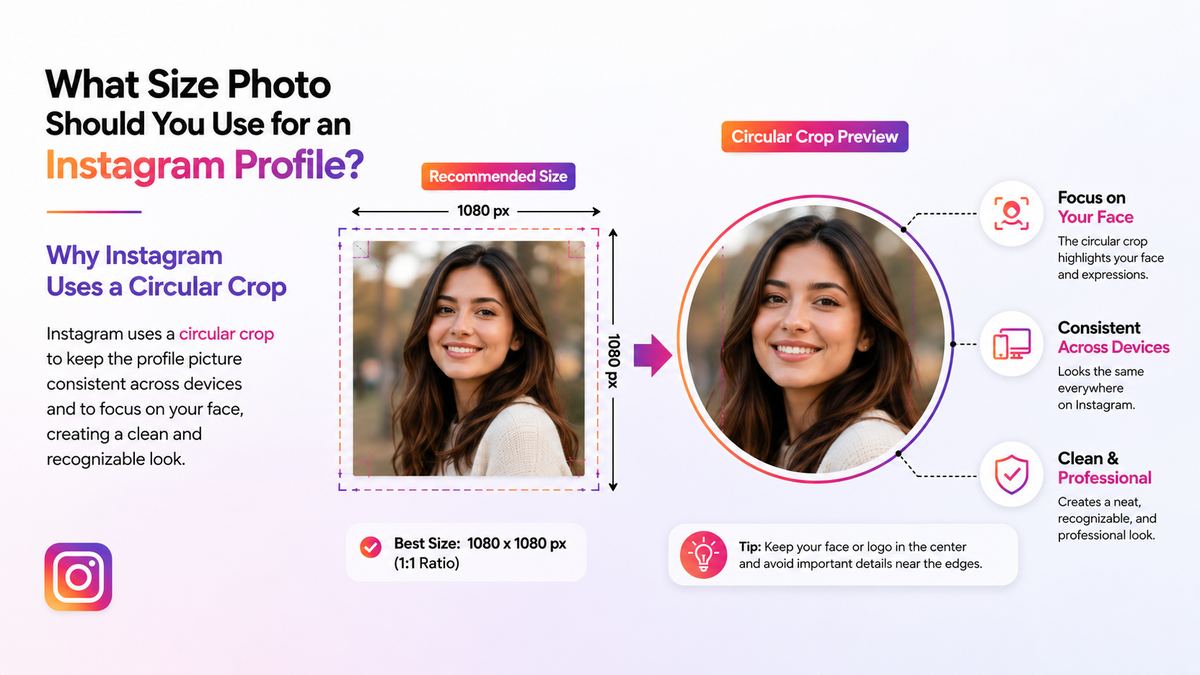
Instagram turns your square upload into a circular profile photo across most parts of the app. This circular frame creates a cleaner visual experience, but it also creates a common problem: important details placed near the corners can be cut off.
The safe zone for your image
Treat the center of your square image as the “safe zone.” Your subject should remain within the central circular area, with enough padding around the outer edges.
A practical rule is to keep important content within roughly 80% of the image width and height. The outer corners are the least safe places for text, symbols, and facial features.
For a 320 × 320-pixel canvas:
- Keep critical content centered within approximately 250 × 250 pixels.
- Avoid putting lettering close to the corners.
- Leave visible space between the subject and the edge of the frame.
- Check that no part of a logo gets clipped by the circular crop.
Real-world example: personal headshot
Imagine a consultant using a headshot as their Instagram profile photo. A full-body image might look attractive at normal size, but it becomes ineffective when reduced to a small circle. A closer head-and-shoulders crop works much better because viewers can identify the person immediately.
The same principle applies to creators, coaches, real estate agents, speakers, and freelancers: prioritize a visible face over a wide environmental photo.
Real-world example: brand logo
A bakery might have a detailed logo featuring a cupcake, its full business name, a slogan, and decorative flourishes. At profile-picture size, the small text will be unreadable. A stronger solution is to use only the cupcake icon or a simplified monogram in the center of a branded background.
Choosing the Right File Format: JPG vs. PNG
Both JPG and PNG files can work well for an Instagram profile picture, but the best option depends on the image itself.
Use JPG for photographs
JPG is usually the best format for photos, including portraits, lifestyle images, and product-focused profile pictures. It provides a good balance of visual quality and manageable file size.
Choose JPG when your image includes:
- A headshot or selfie
- Natural lighting and skin tones
- Background detail
- Gradient colors
- Photography with many shades and textures
Export at high quality to reduce visible compression artifacts. Avoid repeatedly saving and re-uploading the same JPG, as this can gradually lower image quality.
Use PNG for logos and graphics
PNG is often a better choice for logos, icons, typography, and flat-color designs. It preserves crisp edges and can support transparent backgrounds, although Instagram may display the image against its own interface colors.
Choose PNG when your image includes:
- A logo with sharp lines
- Small graphic elements
- Bold text or initials
- A flat-color brand mark
- A transparent background before upload
If your logo contains thin text or intricate lines, simplify it before exporting. PNG can preserve the detail, but Instagram’s small display size cannot make tiny features readable.
How to Make Your Profile Picture Look Sharp
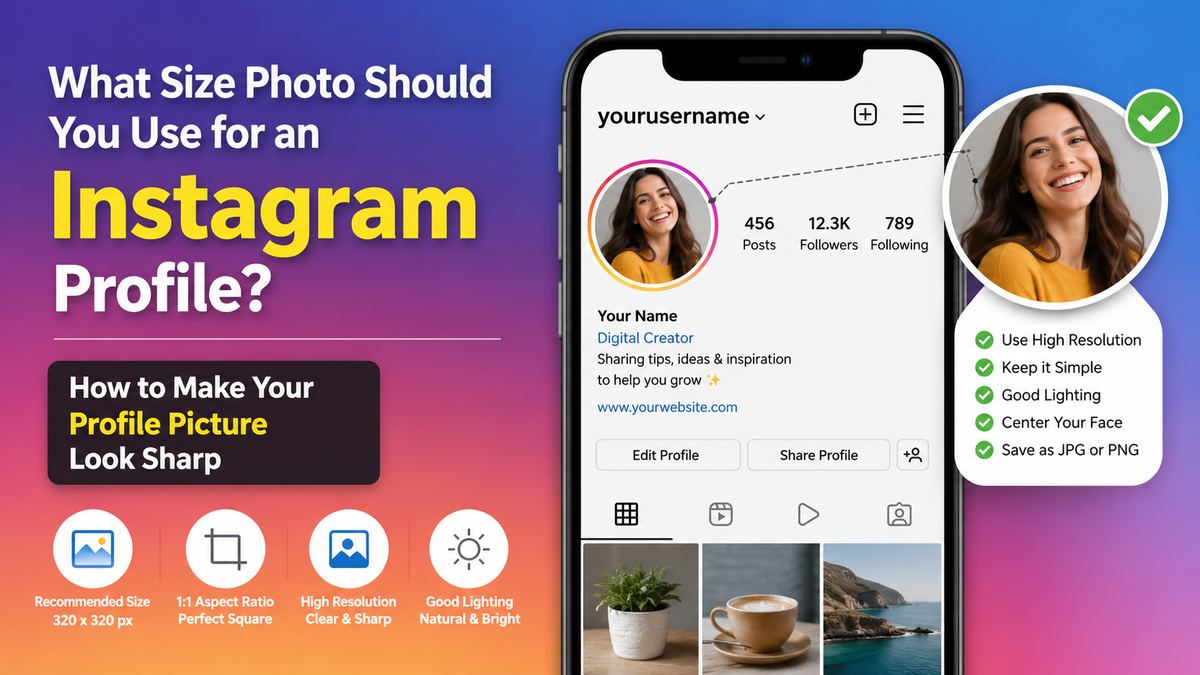
Using the correct Instagram profile picture size is essential, but sharpness also depends on image quality, contrast, composition, and compression.
Start with a high-quality original
Do not begin with a blurry screenshot, a heavily compressed image from another social platform, or a photo copied from a messaging app. Instagram’s compression can make a weak source image look even softer.
Instead, use:
- An original camera file
- A professionally edited headshot
- A high-resolution logo export
- A clean graphic created on a square canvas
Even if your final file is only 320 × 320 pixels, beginning with a high-quality source gives you better control during cropping and resizing.
Increase contrast strategically
Profile pictures are often viewed at very small sizes. Strong contrast helps the subject stand out from the background.
For a personal photo, choose a background that contrasts with your clothing and hair. For example, someone with dark hair wearing a dark shirt may disappear against a dark background. A brighter or simpler backdrop can improve visibility immediately.
For a business logo, use a color combination with enough contrast to remain clear on both light and dark app interfaces.
Avoid overly busy backgrounds
A detailed background competes with the main subject. This is especially harmful when the image is displayed as a small circle.
Better background choices include:
- A solid brand color
- A softly blurred setting
- A clean studio backdrop
- A simple wall or outdoor environment
- A subtle gradient with enough contrast
A travel influencer might love a panoramic mountain photo, but it is usually a better choice for a post than for a profile image. Their face, signature color, or recognizable icon should remain the focal point.
Best Practices for Personal Instagram Profile Photos
For personal brands and professional accounts, a profile picture should help people recognize and trust you quickly.
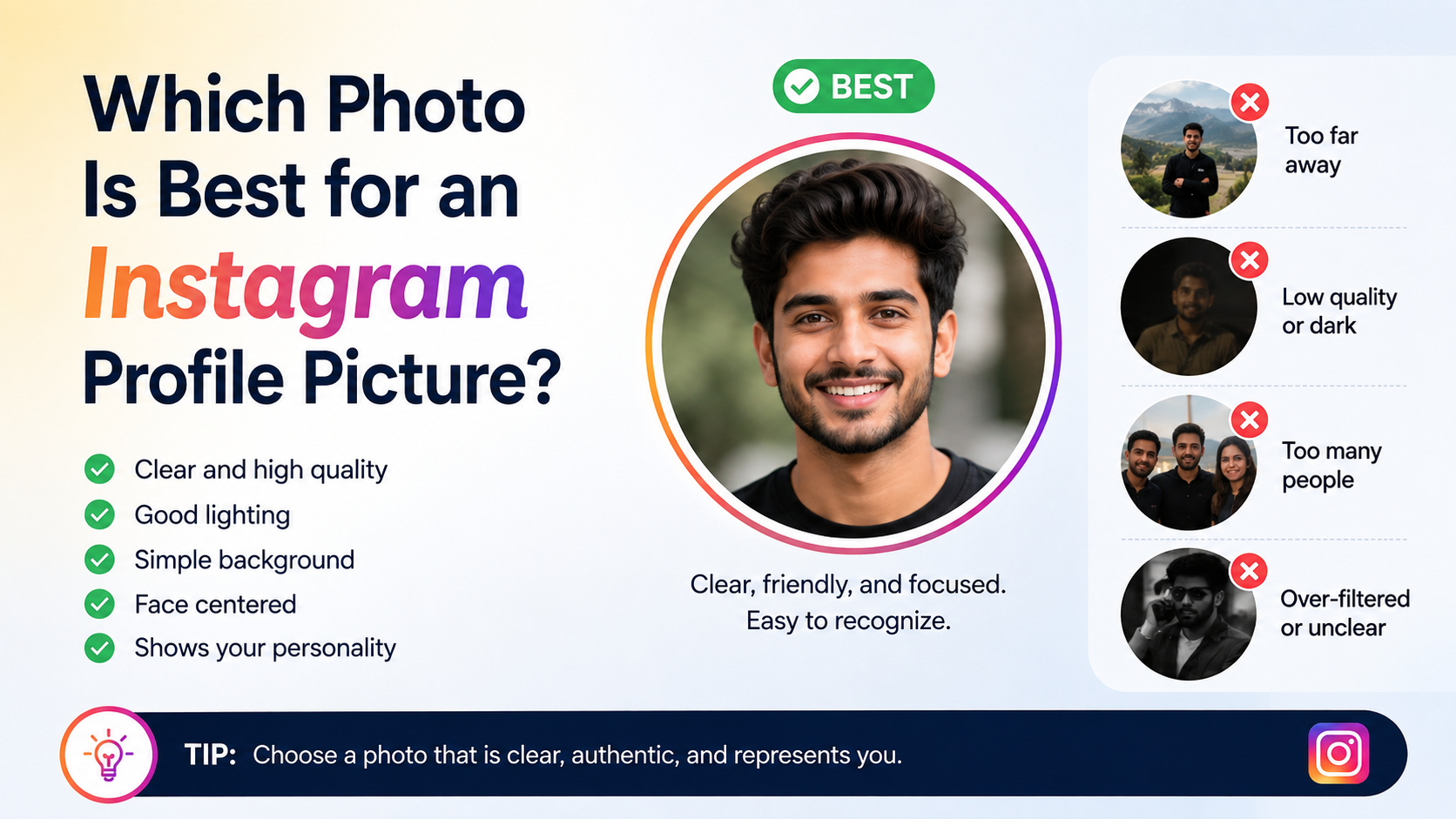
Use a close, well-lit face photo
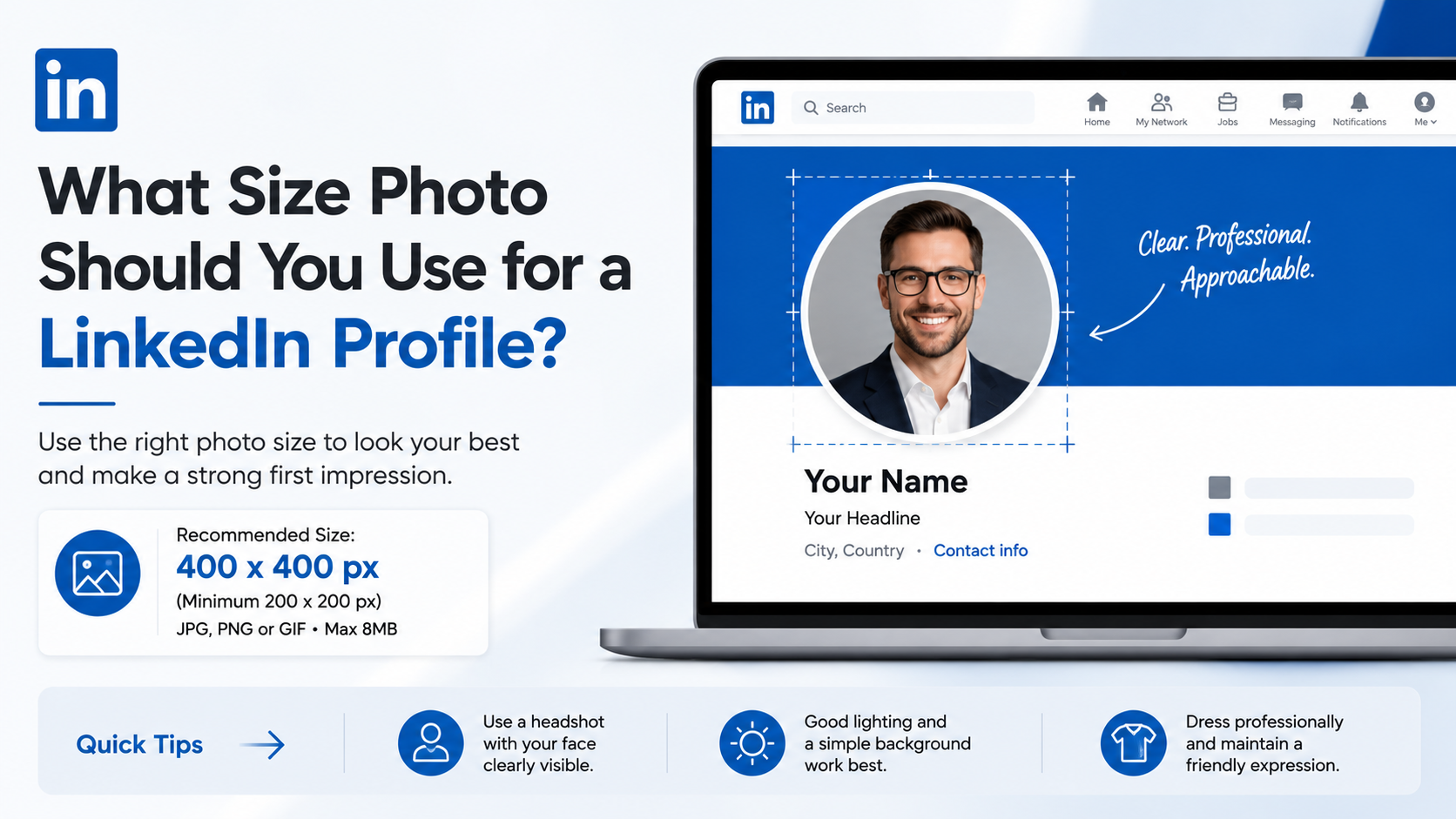
A face should occupy a meaningful portion of the frame. A good target is to have the face fill roughly 60% to 70% of the visible circular area.
This does not mean creating an extreme close-up. You still want a little room around the head and shoulders. The key is that your eyes, expression, and overall appearance remain clear at a glance.
Choose an expression that matches your brand
Your expression communicates before anyone reads your bio. A friendly smile can work well for educators, service providers, and lifestyle creators. A confident, composed expression may suit executives, artists, or luxury-focused professionals.
Consider the audience you want to attract:
- A fitness coach may choose an energetic, approachable photo.
- A lawyer may use a polished, professional headshot.
- A musician may use a more expressive, stylized portrait.
- A therapist may choose a warm, calm image with soft lighting.
Consistency matters more than following one universal style.
Dress for visual clarity
Patterns, logos, and busy clothing can distract at a small size. Solid colors typically perform better, especially when they contrast with the background.
If your visual brand uses a recurring color—such as navy, green, coral, or gold—wearing that color can help create a cohesive profile. This can be particularly effective when your Instagram feed, website, and marketing materials share the same palette.
Best Practices for Business and Brand Profile Pictures
A business profile photo should make the account easy to recognize wherever users encounter it. For most organizations, that means using a logo rather than a product photo, office photo, or promotional graphic.
Simplify the logo for small screens
Your full logo may be perfect for a website header but unsuitable for Instagram. Create a social-media version if needed.
A strong Instagram logo variation may use:
- A symbol without the full company name
- A recognizable initial or monogram
- A simplified badge
- A single product icon
- A bold brand color background
For example, a company named “Northside Financial Planning” may use an “N” monogram or a recognizable compass icon rather than attempting to fit its entire name inside the circle.
Keep branding consistent across platforms
Using the same or a closely related profile picture across Instagram, LinkedIn, Facebook, TikTok, YouTube, and Google Business Profile helps build recognition. People should not have to wonder whether they are following the correct account.
Consistency can include:
- The same logo mark
- The same background color
- The same portrait
- Similar cropping and lighting
- Matching brand colors and fonts
You can make subtle platform-specific adjustments, but the core visual identity should remain stable.
Do not turn your profile picture into an ad
Avoid cramming promotional text such as “50% OFF,” “New Course,” or “Shop Now” into your profile image. These messages become unreadable, date quickly, and can make the account feel cluttered.
Use your bio, pinned posts, Story Highlights, and link-in-bio page for promotions. Your profile image should primarily support recognition.
Common Instagram Profile Picture Mistakes to Avoid
Even a technically correct image can underperform if it is poorly designed for a small circular display.
Using too much text
Text is one of the most common issues with business profile photos. If viewers need to zoom in to read it, it is not serving its purpose.
Instead of using a complete business name, use an icon, initials, or a short recognizable mark.
Placing key elements near the edges
A circular crop can remove edge details and corners. Keep faces, logos, and text centered with comfortable padding.
Before publishing, place a circular guide over your square image in your design tool. This makes it easy to identify anything that may be clipped.
Choosing a low-contrast image
Muted images can look sophisticated at full size but become unclear in Instagram’s small profile icon. Ensure there is enough contrast between the subject and its surroundings.
Updating the image too often
Frequent profile-picture changes can weaken recognition. Followers may scroll past your content because they no longer associate the new image with your account.
Update it when there is a meaningful reason, such as:
- A business rebrand
- A polished new professional headshot
- A major change in visual identity
- A company merger or new logo
- A seasonal campaign with an established brand strategy
A Simple Checklist Before You Upload
Before setting your Instagram profile photo, run through this final checklist:
- Is the file square and at least 320 × 320 pixels?
- Does the primary subject fit comfortably within a circular crop?
- Is the face, logo, or icon easy to recognize at a small size?
- Are important elements centered and away from the corners?
- Is there enough contrast between the subject and background?
- Does the image match your broader personal or business branding?
- Have you viewed it at thumbnail size before uploading?
A useful test is to zoom out on your design or reduce it to around 40 to 60 pixels wide. If the image still makes sense, it is likely strong enough for Instagram.
Frequently Asked Questions
What is the best Instagram profile picture size?
The best Instagram profile picture size is 320 × 320 pixels. Upload a square image with a 1:1 aspect ratio, then make sure your main subject fits within the circular crop Instagram applies.
Can I upload a larger Instagram profile picture?
Yes. You can upload a larger square image, such as 1080 × 1080 pixels, and Instagram will resize it. However, the displayed profile image is small, so file size alone will not improve recognition. Composition and clarity matter more.
Why does my Instagram profile picture look blurry?
Blur can result from a low-resolution source file, excessive compression, repeated editing and saving, poor lighting, or a screenshot used as the original image. Start with a sharp original photo or logo, export it at high quality, and avoid enlarging a small file.
Should a business use a logo or a founder’s face?
It depends on the account’s identity. A company-led brand typically benefits from a simplified logo. A personal brand, consultant, coach, creator, or founder-focused business often benefits more from a clear, professional face photo. Choose the option that makes the account most recognizable to its audience.
Can I put text in my Instagram profile picture?
You can, but keep it minimal. Full business names, taglines, and promotional messages are usually too small to read. Short initials or a simple monogram can work well when designed with high contrast and generous spacing.
Conclusion
The ideal Instagram profile picture size is 320 × 320 pixels, but the best result comes from more than dimensions alone. Use a square image, design for Instagram’s circular crop, keep the subject centered, and prioritize clarity over complexity.
A great profile photo should be recognizable in seconds—whether it is a welcoming headshot, a bold logo, or a simple brand mark. Review your current image at thumbnail size, refine it if necessary, and upload a version that makes your account immediately memorable.
