August 19, 2026 · Updated August 23, 2026 · 11 min read
Instagram Profile Photo Size: Exact Dimensions, Ratio, and Best Practices
On this page
- What Is the Ideal Instagram Profile Photo Size?
- Understanding the Instagram Profile Photo Ratio and Circular Crop
- Best File Formats and Image Quality Settings
- How to Create a Professional Instagram Profile Photo
- Common Instagram Profile Photo Mistakes to Avoid
- How to Upload or Change Your Instagram Profile Photo
- Instagram Profile Photo Size for Different Account Types
- Frequently Asked Questions
- Conclusion
Instagram Profile Photo Size: Exact Dimensions, Ratio, and Best Practices
Your Instagram profile photo is tiny, but it carries an outsized share of your brand recognition. It appears beside your posts, comments, Stories, direct messages, search results, and follower lists—often at a size small enough that fine details disappear.
Whether you manage a personal account, creator profile, or business presence, choosing the correct Instagram profile photo size helps ensure your image stays crisp, centered, and instantly recognizable. This guide explains the exact dimensions, ratio, formatting requirements, and practical design choices that make a profile picture work on every device.
Key Takeaways
- Upload a square image at 320 × 320 pixels for the best Instagram profile photo results.
- Design within a 1:1 aspect ratio, even though Instagram displays the image as a circle.
- Keep important facial features, logos, and text safely inside the center of the frame.
- Use a high-quality JPG or PNG file with good contrast and minimal visual clutter.
- Test your image at a small size before publishing, especially for business logos.
- Update your profile photo consistently across social channels to strengthen recognition.
What Is the Ideal Instagram Profile Photo Size?
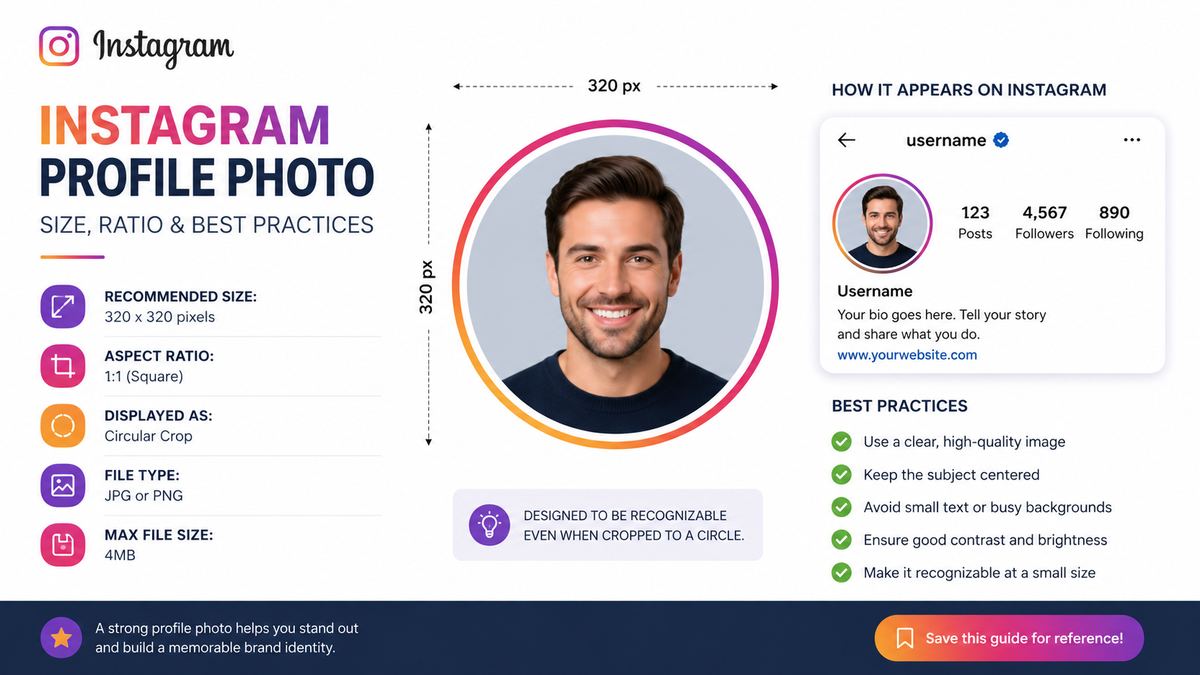
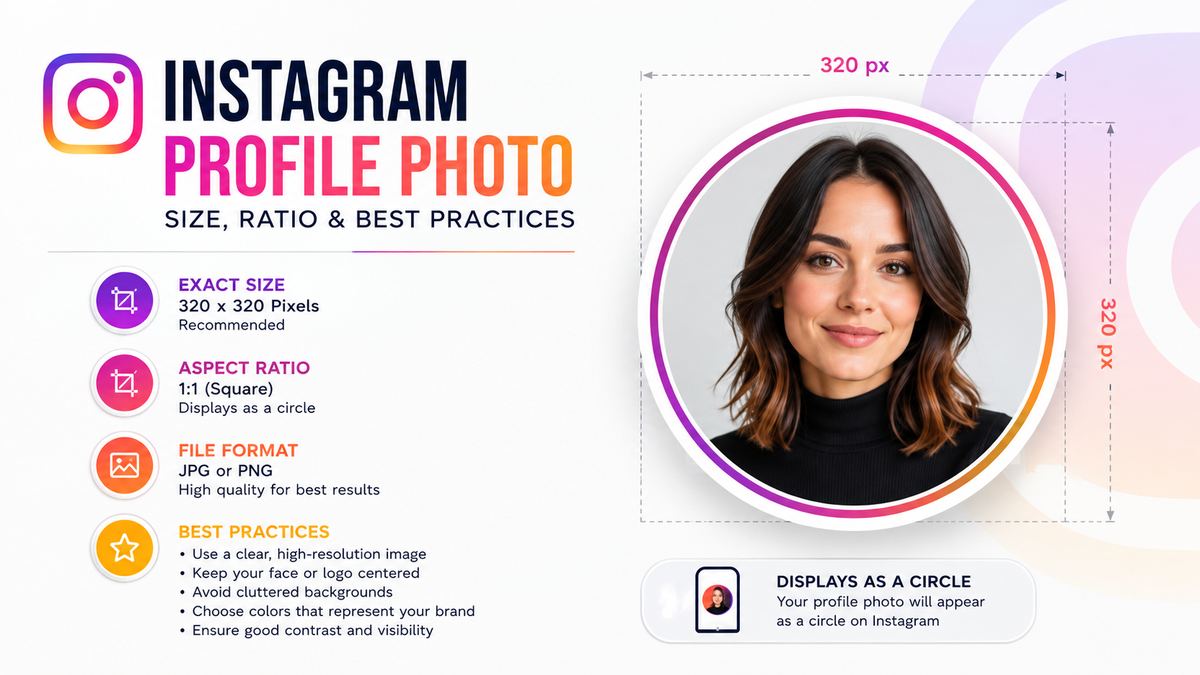
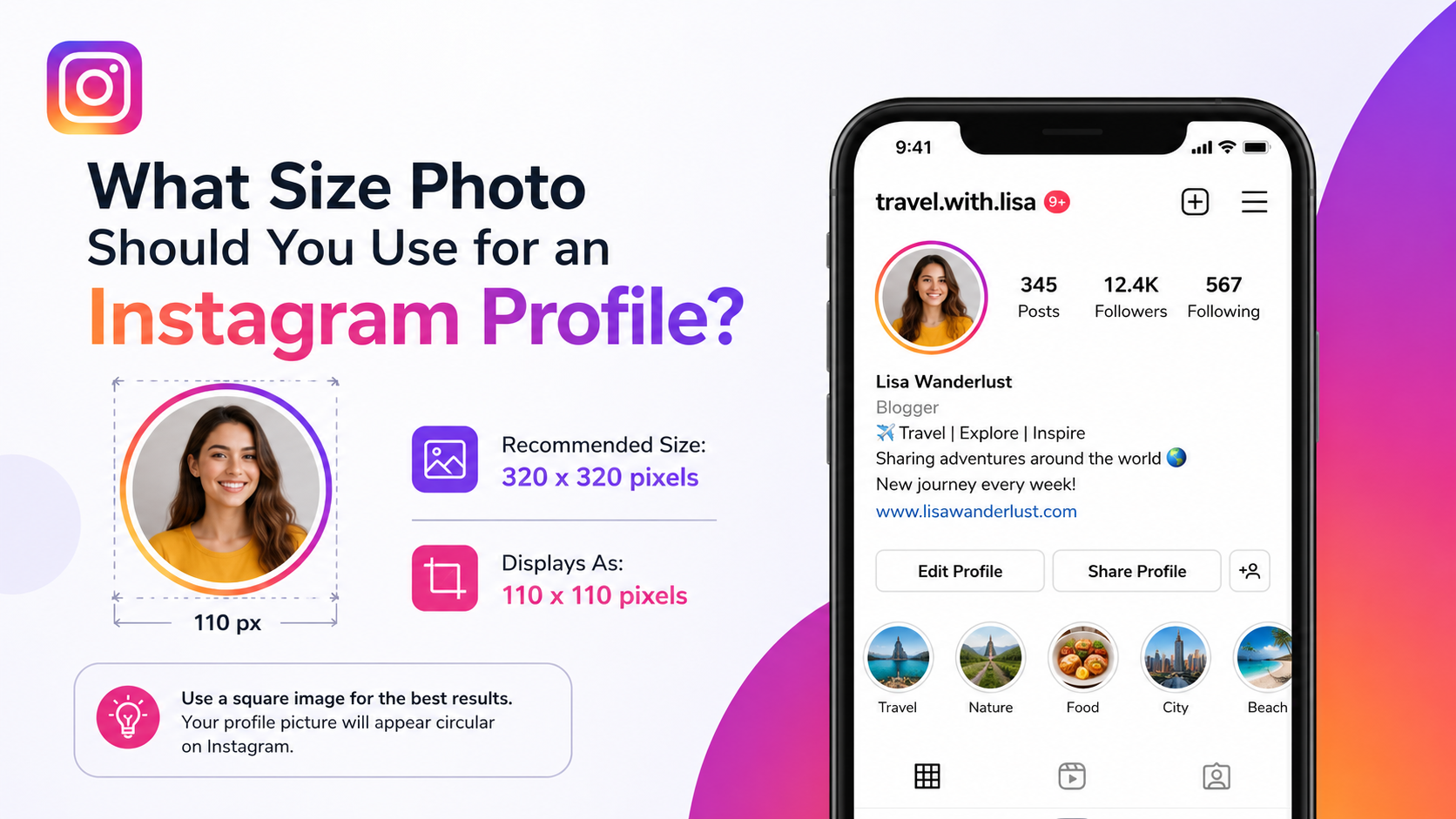
The recommended Instagram profile photo size is 320 × 320 pixels. Instagram stores profile images in a square format, using a 1:1 aspect ratio, but displays them inside a circular frame throughout the app.
Exact Instagram profile image dimensions
For the clearest result, create and upload an image that is:
- Recommended upload size: 320 × 320 pixels
- Aspect ratio: 1:1 (square)
- Display shape: Circle
- Minimum practical size: 110 × 110 pixels or larger
- Best file types: JPG or PNG
Instagram may compress or resize your upload, but beginning with a clean 320 × 320-pixel image gives the platform enough detail to retain sharpness.
Why 320 × 320 pixels matters
A low-resolution image can look blurry, pixelated, or soft after Instagram processes it. This is especially noticeable with:
- Company logos with thin lines
- Portraits with poor lighting
- Images containing small text
- Graphics with fine patterns or gradients
Uploading an oversized image is not necessarily harmful, but it offers little advantage if the source is not designed for small-scale viewing. A polished 320 × 320 design is usually the most efficient choice.
Understanding the Instagram Profile Photo Ratio and Circular Crop
Instagram profile photos use a square upload canvas and a circular display crop. That distinction is one of the most common reasons profile images look incorrectly framed after upload.
Use a 1:1 square canvas
Your source image should always be square. For example:
- 320 × 320 pixels
- 500 × 500 pixels
- 1080 × 1080 pixels
All of these use the correct 1:1 ratio. However, 320 × 320 pixels is the ideal target because it closely matches Instagram’s preferred profile-photo resolution.
Design for the circle, not just the square
The four corners of your square image will be hidden once Instagram applies its circular crop. Avoid placing essential elements near those corners.
For example, if your business logo includes a wide wordmark, do not stretch it edge to edge. The first and last letters may be cut off in Instagram’s circular display. Instead, use a simplified icon, monogram, or stacked version of the logo positioned in the middle.
Create a visual safe zone
Treat the center of the image as the safe area. Keep the subject, logo, or focal point within roughly the middle 70–80% of the square.
A practical rule: imagine a circle inside your square canvas, then ensure every important detail fits comfortably within that circle. Leave breathing room around the edges to prevent awkward cropping.
Best File Formats and Image Quality Settings
Correct dimensions are only one part of a strong Instagram profile photo. File format, compression, colors, and lighting can all affect how your image appears after upload.
Choose JPG for photos and PNG for graphics
Both JPG and PNG work well, but each has a different purpose.
- JPG: Best for portraits, photographs, and natural-color images. It creates smaller file sizes and works efficiently for most personal profile photos.
- PNG: Best for logos, icons, flat-color graphics, and images with transparency. It can preserve sharper edges and cleaner text.
- Avoid screenshots when possible: Screenshots often include unnecessary compression, inconsistent cropping, or lower-quality source material.
If you are uploading a logo with crisp edges, a PNG is usually the stronger option. For a professional headshot, a high-quality JPG is typically ideal.
Avoid over-compression and excessive editing
Instagram applies its own image processing. If your image has already been heavily compressed, sharpened, or filtered, the final result may look worse after upload.
Before exporting, avoid:
- Aggressive sharpening
- Tiny decorative details
- Overly dark shadows
- Heavy filters that distort skin tone or brand colors
- Small, thin text
Aim for a clean, well-lit image with enough contrast to remain clear at a glance.
Use the right color balance
Profile images are often viewed against Instagram’s light or dark interface elements. Strong contrast helps your photo stand out regardless of a viewer’s theme settings.
For a portrait, use a background that contrasts with your clothing and hair. For a logo, use a background color that supports the icon without overpowering it. A simple, recognizable color palette generally performs better than a busy or overly detailed design.
How to Create a Professional Instagram Profile Photo
A professional-looking profile photo does not always require a studio shoot or a designer. It does require a deliberate choice of subject, composition, and visual consistency.
Best practices for personal accounts and creators
If your account represents you, use a clear, current image of your face. People are more likely to follow and engage when they can quickly identify the person behind the account.
For a polished personal profile photo:
- Face the camera or use a clear three-quarter angle.
- Use natural or soft front-facing light.
- Crop from the shoulders or chest upward.
- Keep your face large enough to remain visible at a small size.
- Choose a simple background with minimal distractions.
- Wear colors that create contrast with the backdrop.
For example, a fitness coach might use a bright, confident headshot in workout attire against a plain outdoor or studio background. The image communicates personality and niche without relying on unreadable text.
Best practices for brands and businesses
Businesses should prioritize instant recognition. In most cases, that means using a simplified logo rather than a detailed promotional graphic.
A strong business profile photo should:
- Use the same logo or visual identity found on your website and other platforms.
- Feature a centered icon or monogram.
- Use brand colors consistently.
- Remove tiny taglines or complicated elements.
- Remain legible when viewed at 40 pixels wide.
A local bakery, for instance, may get better results from a bold cupcake icon in its signature colors than from a full logo containing the business name, slogan, location, and decorative illustration.
Match your broader brand presence
Your profile photo should feel consistent with your other digital touchpoints, including LinkedIn, TikTok, YouTube, Facebook, and your website. Consistency reduces friction: people who recognize your icon or face elsewhere can find and trust your Instagram account more easily.
Common Instagram Profile Photo Mistakes to Avoid
Many profile-image problems are preventable. The most frequent mistakes happen when creators design for a large screen rather than the small circular thumbnail Instagram actually shows.
Using too much text
Text rarely performs well in an Instagram profile photo. At small sizes, even large lettering can become unreadable.
Instead of including a full business name, use:
- A logo mark
- Initials or a monogram
- A recognizable product icon
- A simple brand symbol
Save your company name, services, and value proposition for your profile name and bio, where users can read them clearly.
Choosing a cluttered background
Busy backgrounds compete with the main subject. A crowded event photo, detailed office setting, or high-contrast pattern can make a face or logo difficult to identify.
Simplify the composition. Use a solid color, subtle gradient, softly blurred background, or clean location with visual separation from the subject.
Placing important elements near the edge
Because Instagram uses a circular crop, edge-aligned elements can disappear. This includes hair, hands, product packaging, logo details, and text.
Before uploading, preview the image in a circle. If any essential content sits close to a corner or edge, resize or reposition it.
Using an outdated or inconsistent image
An old headshot can confuse people who meet you in person or see your newer content. Likewise, changing brand logos frequently weakens recognition.
Update your profile photo when your appearance, branding, or business identity changes materially—but avoid changing it so often that followers lose visual familiarity.
How to Upload or Change Your Instagram Profile Photo
Instagram makes it easy to change your profile image from the mobile app or desktop browser. The important part is preparing the file before you upload it.
Changing your photo in the Instagram app
To update your profile photo on mobile:
- Open Instagram and go to your profile.
- Tap Edit Profile.
- Select Change profile photo or Edit picture or avatar.
- Choose an image from your device or take a new photo.
- Adjust the crop so your focal point remains centered.
- Save your changes.
Take a moment to view the completed profile screen after saving. If the image feels too small, cropped, or unclear, replace it with a better-centered version.
Updating your image on desktop
On Instagram’s web version:
- Open your profile page.
- Choose Edit profile.
- Select the profile photo option.
- Upload your prepared square image.
- Confirm the change and review the result.
Desktop editing can be useful for brands because it is easier to upload files directly from a design folder and compare the new profile image with other brand assets.
Test before and after publishing
After upload, check how the profile photo appears in several contexts:
- Your profile header
- A recent post in the feed
- Comments
- Direct messages
- Search results
- Story viewers, if available
An image that looks fine in the profile header may be difficult to recognize in a comment thread. Small-scale clarity should be your final test.
Instagram Profile Photo Size for Different Account Types
The technical dimensions are the same for every account, but the best creative approach changes based on your purpose.
Personal accounts
Use a warm, recognizable photo of yourself. Friends, colleagues, and new followers should be able to identify you quickly. Casual is fine, but clarity should come first.
Creators and influencers
Creators should combine personality with niche signals. A food creator might use a friendly headshot with a clean, colorful background, while a travel creator may use a clear outdoor portrait rather than a distant landscape scene.
Professional services
Consultants, coaches, real estate agents, photographers, and freelancers usually benefit from a polished headshot. A clear expression, professional styling, and visual consistency with a website or LinkedIn page can strengthen credibility.
Ecommerce and product brands
Use a logo, product icon, mascot, or simplified package mark. Avoid using a full product photograph unless the product has an instantly recognizable silhouette.
Organizations and communities
Nonprofits, schools, clubs, and local groups should choose an emblem or logo that communicates identity at a glance. If the logo is complex, create a profile-specific simplified version.
Frequently Asked Questions
What is the best Instagram profile photo size in 2026?
The best Instagram profile photo size is 320 × 320 pixels. Upload it as a square image with a 1:1 aspect ratio, while keeping important content centered because Instagram displays the image in a circle.
Does Instagram crop profile pictures into a circle?
Yes. Instagram accepts a square image but displays it as a circle in most areas of the platform. Anything placed near the corners of the original square may be hidden, so keep your logo, face, and text within the central area.
Can I upload a larger Instagram profile photo?
Yes. Instagram can accept larger square images, such as 500 × 500 or 1080 × 1080 pixels. However, it will resize and compress the image, so a clean 320 × 320-pixel upload is an efficient and reliable choice.
Should I use a photo or a logo for my business Instagram account?
Use a logo if your account represents a company, store, organization, or product brand. Use a professional headshot if the business is closely tied to you personally, such as a consultant, coach, agent, or creator-led brand.
Why does my Instagram profile picture look blurry?
Blurriness can result from a low-resolution source image, prior compression, poor lighting, a screenshot-based upload, or Instagram’s processing. Start with a sharp square image, use JPG for photos or PNG for graphics, and avoid uploading a heavily edited or compressed file.
Conclusion
The right instagram profile photo size is simple: use a sharp 320 × 320-pixel square image, design for a circular crop, and keep every important element centered. Beyond the technical requirements, prioritize recognition, contrast, and consistency with your personal or business identity.
Review your current profile image at thumbnail size today. If it is blurry, crowded, outdated, or difficult to recognize, create a cleaner replacement—because on Instagram, one small circle can make a major first impression.