August 19, 2026 · Updated August 24, 2026 · 11 min read
How to Find Your First Facebook Profile Picture and Old Profile Photos
On this page
- Why Your First Facebook Profile Picture Can Be Hard to Find
- Find Your First Facebook Profile Picture on Desktop
- Find Old Profile Photos in the Facebook Mobile App
- Use Your Activity Log to Search by Year
- Download Your Facebook Information for a Complete Archive
- What to Do If You Cannot Find the Photo
- Find Someone Else’s Old Profile Pictures Respectfully
- Organize and Preserve Your Old Facebook Photos
- Frequently Asked Questions
- Conclusion
How to Find Your First Facebook Profile Picture and Old Profile Photos
Your Facebook profile may hold years—or even decades—of personal history. Your first profile photo can be especially meaningful: it may capture a college-era headshot, an early family snapshot, a business milestone, or simply the beginning of your time on social media.
The challenge is that Facebook does not always place your oldest images front and center. Privacy settings, album organization, deleted content, and changes to the platform’s design can all make old photos harder to locate. Fortunately, there are several reliable ways to find your first Facebook profile picture and revisit older profile photos without endlessly scrolling.
Key Takeaways
- Check your Profile Pictures album first; it is usually the fastest route to past profile images.
- Use desktop Facebook when possible, since album sorting and navigation are often easier on a larger screen.
- Review your Activity Log to filter posts and photos by year.
- Download your Facebook information if you want a searchable personal archive.
- Respect privacy settings when looking for photos on another person’s profile.
- Save important photos in a secure backup location after you find them.
Why Your First Facebook Profile Picture Can Be Hard to Find
Facebook has evolved substantially since its early years. Layouts, menus, privacy controls, and photo displays have changed many times. As a result, an image you uploaded years ago may still exist but no longer appear where you expect.
Profile Pictures Are Usually Stored in a Dedicated Album
When you set a new profile picture, Facebook generally adds it to an album called Profile Pictures. This is distinct from:
- Cover photos
- Mobile uploads
- Timeline photos
- Tagged photos
- Photos uploaded by friends
Your oldest image in that album is often your first Facebook profile picture. However, the order may vary depending on whether Facebook displays the newest or oldest images first.
Some Photos May Have Been Removed or Hidden
If you cannot find an old profile picture, several things may have happened:
- You deleted the image manually.
- You changed its audience to “Only Me.”
- Facebook removed content because of a policy issue.
- You deactivated and later reactivated your account.
- The image was uploaded through an older account you no longer use.
For example, someone who joined Facebook in 2008 might have used a graduation photo as their original profile image, then deleted it years later while updating their online presence. In that case, the photo may not be recoverable through Facebook itself—but it could still exist in an old device backup, email attachment, or cloud storage account.
Find Your First Facebook Profile Picture on Desktop
Using Facebook in a desktop browser is usually the most efficient option. You can see more album information at once and navigate old uploads with less friction.
Open Your Profile Pictures Album
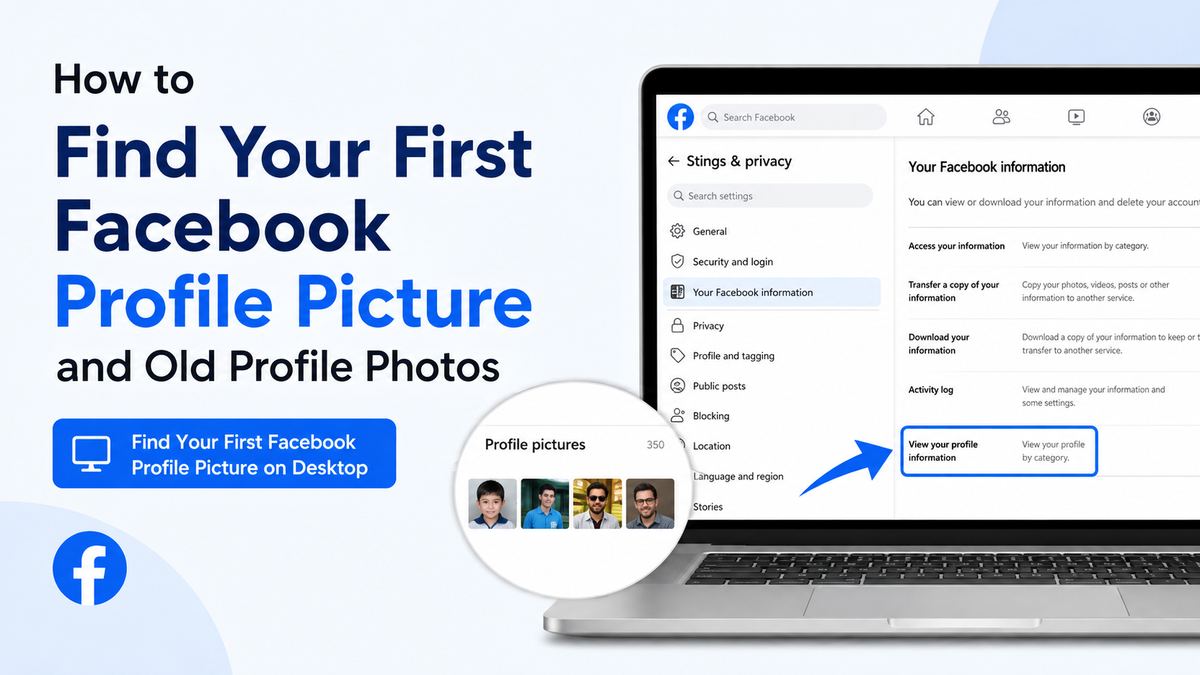
Start by visiting your Facebook profile, then follow this general path:
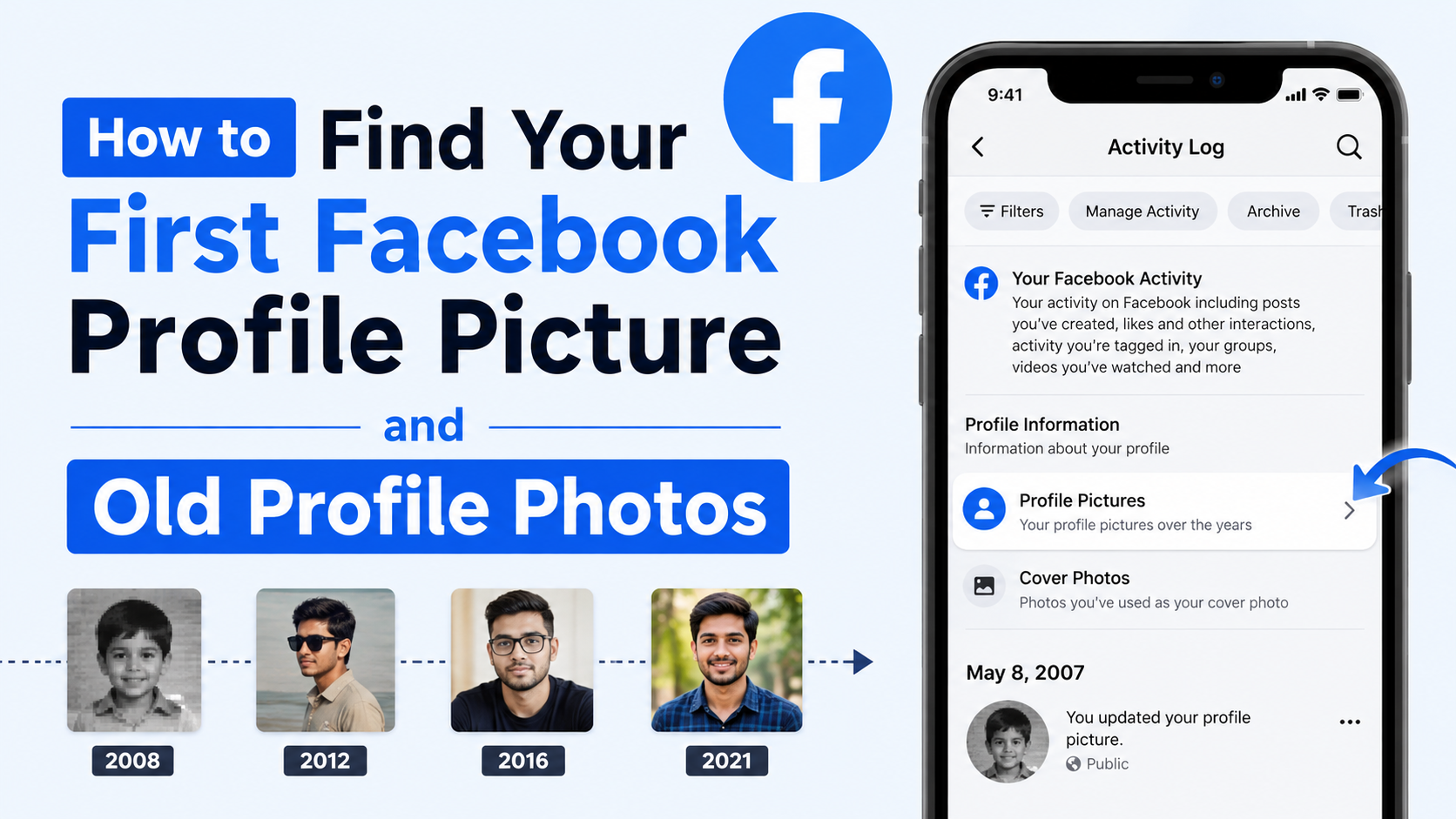
- Select your profile name or profile picture.
- Open the Photos tab.
- Choose Albums.
- Open the Profile Pictures album.
- Look for an option such as Oldest, Sort, or scroll to the beginning of the album.
Depending on Facebook’s current layout, your profile images may appear in reverse chronological order. That means your first Facebook profile picture is likely at the bottom of the album.
Use the Date to Confirm the Oldest Image
Do not assume the first image you see is the original one. Open a photo and check its upload date, caption, comments, and reactions.
Clues that you found the right image include:
- The earliest upload date in the album
- Comments from old classmates or relatives
- A lower-quality image from an older phone or camera
- An outdated hairstyle, workplace, school, or location
- A caption that reflects an earlier stage of life
For professionals, an old profile image may also show how personal branding has changed over time. A casual image from the early 2010s can provide a useful reminder to review current profile photos across LinkedIn, company websites, and other public platforms.
Find Old Profile Photos in the Facebook Mobile App
You can also find old profile pictures through the Facebook app on iPhone or Android. The process is similar, although menu labels may vary slightly by device and app version.
Navigate to Your Photo Albums
In the Facebook app:
- Tap your profile picture or name to open your profile.
- Scroll to the Photos section.
- Select See All Photos or Albums.
- Open Profile Pictures.
- Scroll through the album until you reach the earliest uploads.
If the album contains dozens of profile changes, scrolling may take time. Pause occasionally to let more images load, especially on slower connections.
Check Photo Details Before Saving
Tap an image to view its details. You may be able to see:
- Upload date
- Original caption
- Tagged people
- Audience setting
- Comments and reactions
- Options to save or share the image
If you want a copy, use Facebook’s download or save option when available. Avoid relying only on screenshots, since a downloaded version may retain better image quality.
Use Your Activity Log to Search by Year
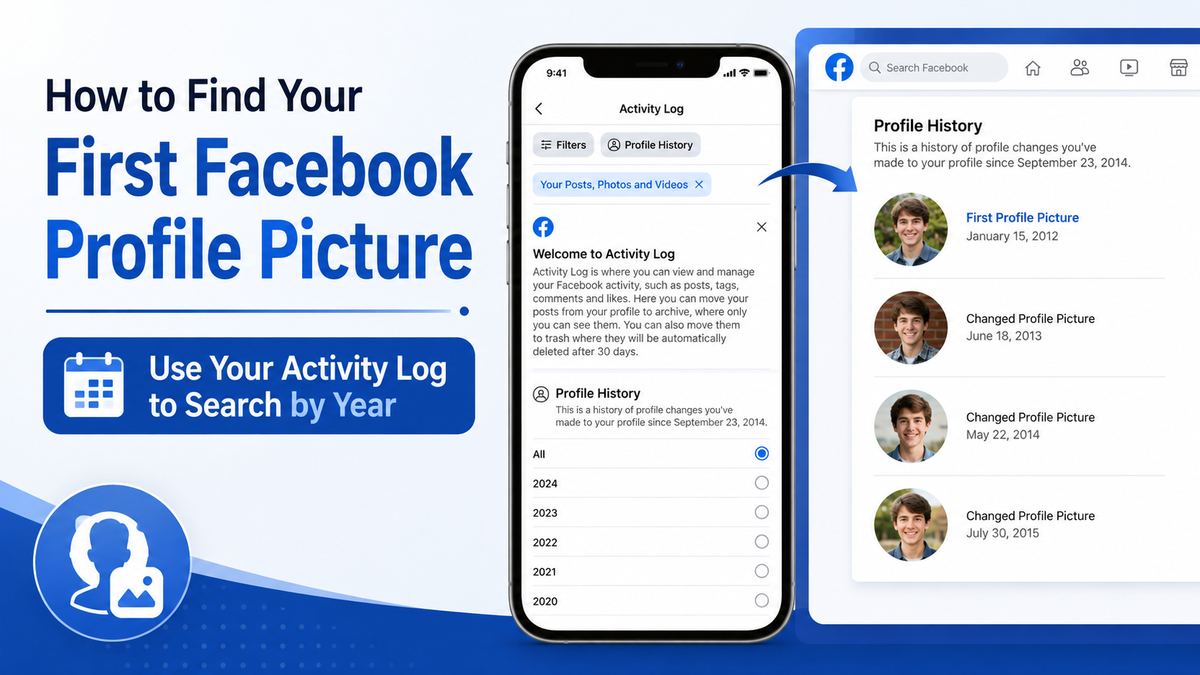
Your Activity Log is one of Facebook’s most useful tools for locating older content. It creates a record of many actions on your account, including posts, photos, likes, and profile changes.
Filter Your Activity for Photos and Posts
To access it, go to your profile settings and select Activity Log. Then look for filters related to:
- Your posts
- Photos and videos
- Profile changes
- Posts from a specific year
- Hidden content
The exact categories can change over time, but filtering by date is especially helpful. If you remember joining Facebook around 2011, start with that year and review photo-related activity.
Use Life Events as Search Anchors
Rather than searching randomly, connect the photo to a major event. Think about what was happening when you created your account or changed your profile picture.
Useful anchors include:
- Starting college or a new job
- Moving to a new city
- A holiday, wedding, graduation, or birthday
- Launching a business
- Joining a sports team or organization
For instance, if you remember uploading your original photo shortly after opening an account during your first year of university, filter activity around that academic year. This narrows the search far more effectively than browsing every image in your library.
Download Your Facebook Information for a Complete Archive
If you have a long Facebook history or want to preserve important memories, downloading your information can be the most thorough approach.
Request a Download From Facebook Settings
Facebook allows users to request a copy of their account data. In your settings, look for an option similar to Download Your Information or Download Profile Information.
You can usually choose:
- A date range
- Specific data categories
- Media quality
- HTML or JSON file format
- Photos and videos only
For most people, selecting Photos and Videos in HTML format is the easiest choice. The downloaded archive can help you browse content outside the Facebook interface.
Search the Archive by Date and Folder
After Facebook prepares the file, download and extract it on a trusted device. Depending on the archive format, you may find folders for:
- Profile photos
- Cover photos
- Uploaded photos
- Album content
- Posts containing media
Search by the oldest dates first. This method is particularly valuable if you want to create a personal archive, move photos to cloud storage, or preserve memories before closing an inactive account.
Keep the downloaded archive private. It may contain sensitive personal data, conversations, location details, and images that were never publicly visible.

What to Do If You Cannot Find the Photo
Sometimes, despite checking albums and Activity Log entries, the first Facebook profile picture is simply unavailable. That does not always mean the memory is gone forever.
Check Your Other Digital Archives
Look beyond Facebook for possible copies. Search:
- Google Photos, iCloud Photos, OneDrive, or Dropbox
- Old computers and external hard drives
- Email inboxes for image attachments
- Early blog posts or forum profiles
- Messages sent to friends or family
- Previous phones and camera memory cards
Try searching with date ranges, locations, or names of people who may have been in the image. If the photo was taken at an event, another attendee may still have it.
Ask Friends Carefully
Friends who interacted with your old profile image may remember it or have saved a copy. A simple message can work:
“I’m trying to find my very first Facebook profile picture from around 2010. Do you happen to remember it or have an old copy?”
Be mindful of privacy. Do not ask others to share photos that contain sensitive information or people who would not want the image recirculated.
Understand the Limits of Recovery
Facebook cannot usually restore content that you permanently deleted long ago. Similarly, if an account was deleted rather than deactivated, the associated photos may no longer be available.
Avoid third-party “Facebook photo recovery” tools that request your password or promise access to deleted photos. These services can be scams, compromise your account, or violate Facebook’s terms.
Find Someone Else’s Old Profile Pictures Respectfully
You may also be curious about a friend’s, colleague’s, or public figure’s old Facebook profile photos. The method is similar, but access depends entirely on their privacy settings.
Check Their Visible Profile Pictures Album
Visit the person’s profile, select Photos, and look for Albums or Profile Pictures. If the album is public or shared with you, you may be able to scroll through older images.
You can only see content the account owner has chosen to share with you. If the album is private, Facebook will not provide a legitimate workaround.
Avoid Privacy Bypasses
Do not use:
- Fake accounts
- Password-sharing schemes
- Browser extensions claiming to reveal hidden photos
- Unofficial scraping tools
- Websites that ask you to enter Facebook login details
A professional context makes this especially important. Employers, recruiters, and colleagues should never use old social-media photos as a basis for intrusive screening or judgment.
Organize and Preserve Your Old Facebook Photos
Once you locate your first Facebook profile picture, take a few minutes to protect it. Digital memories are easier to lose than most people realize.
Create a Simple Backup System
Download meaningful photos and save them in at least two places, such as:
- A reputable cloud storage service
- An external drive
- A private encrypted archive
- A family photo-sharing folder
Use descriptive filenames, such as 2010-first-facebook-profile-picture.jpg, rather than leaving generic camera filenames in place.
Review Privacy and Professional Appearance
Old photos can be sentimental, but not every image needs to remain public. Review the audience for your profile photos and decide whether each should be:
- Public
- Visible to friends
- Visible only to you
- Archived outside Facebook
- Deleted permanently
This is useful for anyone, but especially for professionals who use Facebook to connect with clients, coworkers, community groups, or business contacts.
Frequently Asked Questions
Can I see my first Facebook profile picture if I changed it many times?
Usually, yes. Open your Profile Pictures album and browse to the oldest image. If the photo was never deleted, it should remain there even after many profile-picture changes.
Why is my old Facebook profile picture missing?
It may have been deleted, hidden, removed by Facebook, or uploaded through a different account. Check your Activity Log, downloaded account archive, old devices, and cloud photo backups.
Can other people see my old Facebook profile photos?
It depends on the privacy settings for each photo and album. Some old profile photos may be public, while others may be limited to friends or visible only to you.
Can I recover permanently deleted Facebook photos?
In most cases, permanently deleted photos cannot be recovered from Facebook after the deletion process is complete. Look for copies in device backups, cloud storage, email, or friends’ saved photos.
Is it safe to use a third-party tool to find deleted Facebook photos?
No. Avoid services that ask for your Facebook password or claim to access private or deleted content. Use Facebook’s official settings, Activity Log, and download tools instead.
Conclusion
Finding your first Facebook profile picture is usually a matter of checking the Profile Pictures album, filtering your Activity Log by date, and reviewing your downloadable Facebook archive. If the image is no longer on Facebook, old cloud backups, devices, email, and trusted friends may still help you recover it.
Once you find those early profile photos, save the meaningful ones somewhere secure and review their privacy settings. Your Facebook timeline is more than a feed—it is part of your digital history, and preserving it intentionally puts you back in control of the memories you want to keep.