August 19, 2026 · Updated August 23, 2026 · 11 min read
What Should I Use as My Profile Picture? Best Ideas for Work and Social Media
On this page
- Start With the Purpose of Your Profile Picture
- Build a Strong Foundation: The Universal Photo Checklist
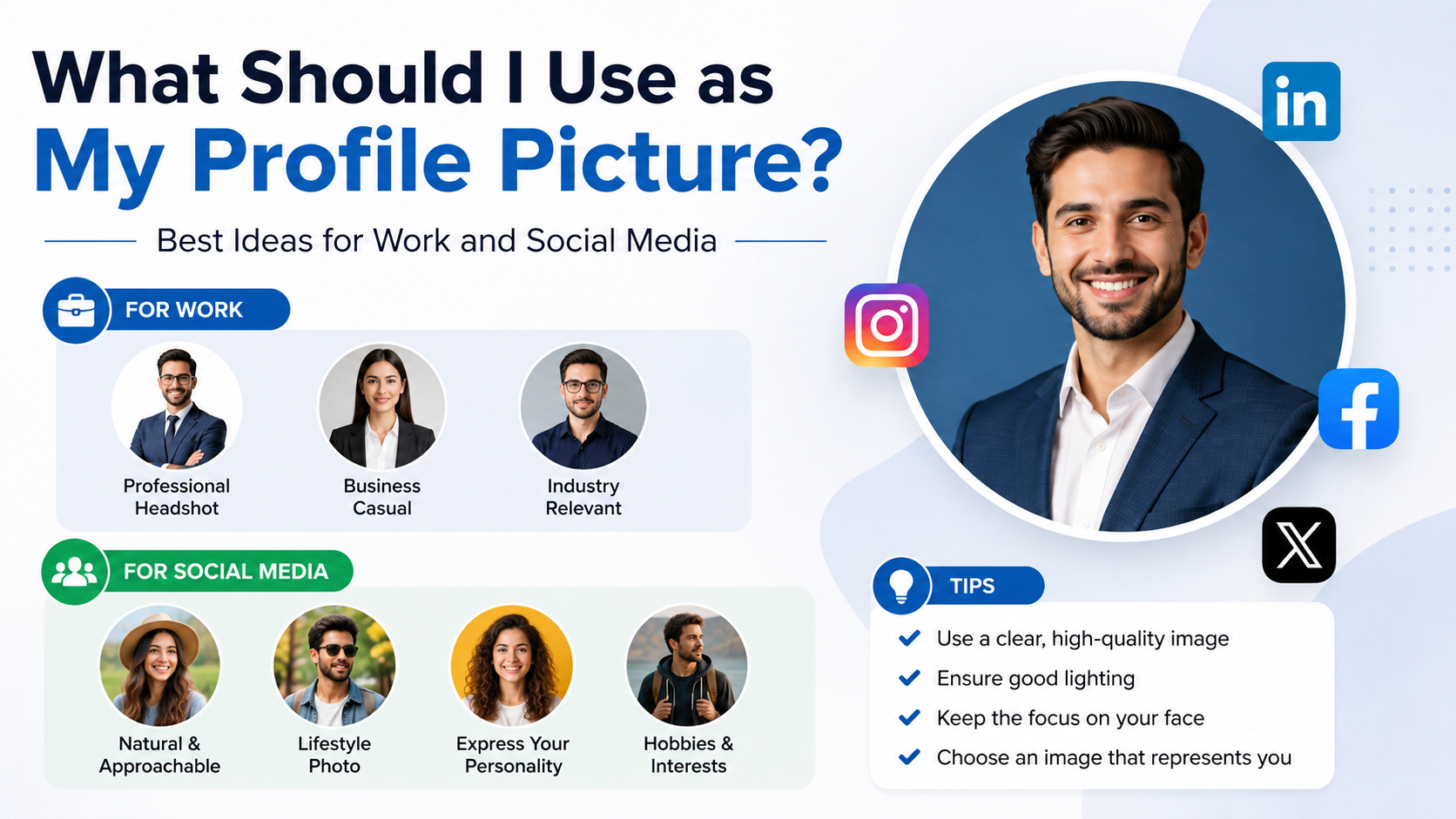
- Professional Profile Picture Ideas for Work
- Social Media Profile Picture Ideas That Feel Personal
- Choose the Right Background, Colors, and Composition
- What to Avoid in a Profile Picture
- Take a Great Profile Picture With Your Phone
- When to Update Your Profile Picture
- Frequently Asked Questions
- Conclusion
What Should I Use as My Profile Picture? Best Ideas for Work and Social Media
Your profile picture is often your first introduction online. Before someone reads your bio, opens your résumé, accepts a connection request, or follows your account, they form an impression from that small image.
The best profile picture ideas are not one-size-fits-all. A polished LinkedIn headshot should communicate competence and trust, while an Instagram photo can show more personality and creativity. The goal is simple: choose an image that feels authentic, looks clear at a small size, and suits the platform and audience.
Key Takeaways
- Use a clear, recent photo where your face is easy to recognize.
- Match your clothing, expression, and background to the platform’s purpose.
- For work profiles, prioritize professionalism, warmth, and visual simplicity.
- For social media, let your personality, interests, or creative style show.
- Avoid blurry, heavily filtered, group, or distracting photos.
- Update your image when your appearance, role, or personal brand changes.
Start With the Purpose of Your Profile Picture
Before choosing from dozens of profile picture ideas, think about what the account is for. Your image should help people understand who you are and what they can expect from interacting with you.
Professional platforms: build trust quickly
On LinkedIn, company directories, Slack, Teams, portfolio sites, and professional networking platforms, your profile picture should make you look capable and approachable. You do not need to look overly formal, but the image should be intentional.
A strong professional photo usually includes:
- A visible face, ideally filling 50–70% of the frame
- Good lighting and a clean background
- Clothing appropriate for your industry
- A relaxed, confident expression
- A recent likeness that colleagues can recognize in person
For example, a financial consultant may choose a well-lit headshot in business-casual clothing, while a graphic designer might use a modern portrait with a subtle studio color or creative workspace behind them.
Social platforms: show personality with clarity
For Instagram, Facebook, TikTok, X, Discord, or hobby communities, you can be more expressive. Your photo may reflect your style, interests, humor, or visual brand.
Good social profile picture ideas include:
- A natural outdoor portrait
- A photo featuring a favorite hobby, such as hiking or playing music
- A colorful but uncluttered close-up
- A recognizable avatar or illustration for privacy-focused accounts
- A branded image if you run a creator or business account
Even on casual platforms, people should still be able to tell who or what the account represents at a glance.
Build a Strong Foundation: The Universal Photo Checklist
No matter where you use it, a profile picture needs to work at a very small size. Details disappear quickly, which is why simple images consistently perform best.
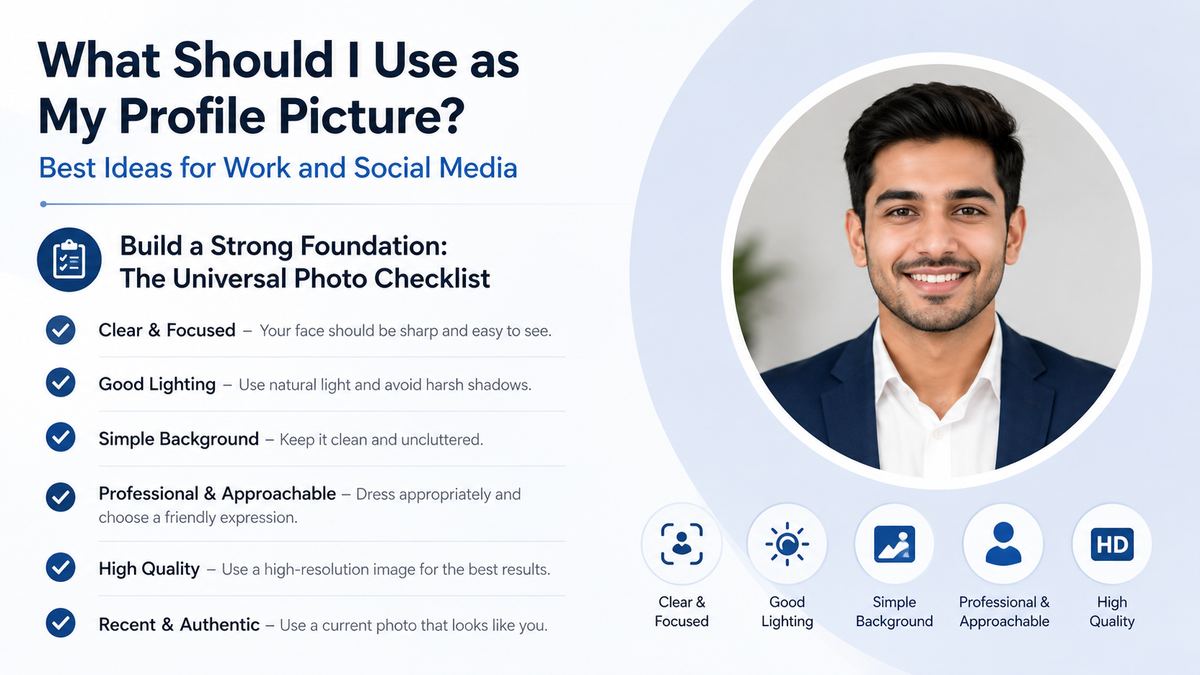
Prioritize face visibility
Your face should be the focus. A full-body photo might look great in your camera roll, but it often becomes unrecognizable inside a circular profile image.
Choose a photo where:
- Your eyes are visible and not hidden by sunglasses, hair, or shadows
- Your face is centered or slightly off-center
- The camera is roughly at eye level
- You are not too far away from the lens
A good rule: if a friend can identify you from the image as a tiny icon, it is likely a strong choice.
Choose lighting that flatters naturally
Soft, natural light is usually the easiest and most flattering option. Stand facing a window, step into open shade outdoors, or use a well-diffused light source.
Avoid:
- Harsh overhead lighting
- Strong backlighting that turns your face into a silhouette
- Dark, grainy images
- Flash-heavy photos with red-eye or shiny skin
You do not need expensive equipment. A smartphone portrait taken near a large window can look more professional than a poorly lit studio photo.
Professional Profile Picture Ideas for Work
A work profile picture should support your reputation without feeling stiff or impersonal. Think “recognizable, polished, and easy to approach.”
Use a clean headshot for LinkedIn
A LinkedIn profile is one of the best places to use a dedicated headshot. The ideal image has a simple background, good lighting, and a natural smile or composed expression.
Try these options:
- A chest-up portrait against a neutral wall
- A professionally taken headshot with a softly blurred background
- A natural-light photo in an office or quiet outdoor setting
- A business-casual photo that reflects your workplace culture
For example, a software engineer might wear a simple button-down or clean sweater, while a real estate agent may choose a more polished blazer-and-shirt combination.
Match your industry without becoming generic
Your outfit should fit your field, not a rigid template. If your workplace is formal, lean toward classic business attire. If you work in a relaxed, creative, or technical environment, smart casual clothing may be more authentic.
Consider these industry cues:
- Corporate, legal, finance: Blazers, collared shirts, understated colors
- Technology: Clean casual wear, polished knitwear, simple shirts
- Creative fields: A distinctive but professional color, texture, or accessory
- Healthcare and education: Friendly, trustworthy clothing and a warm expression
- Freelancers and consultants: A polished version of your everyday professional style
The important thing is alignment. A profile image should look like the person clients, coworkers, or recruiters would meet.
Social Media Profile Picture Ideas That Feel Personal
Social platforms give you room to show more of your personality, but clarity should still come first.
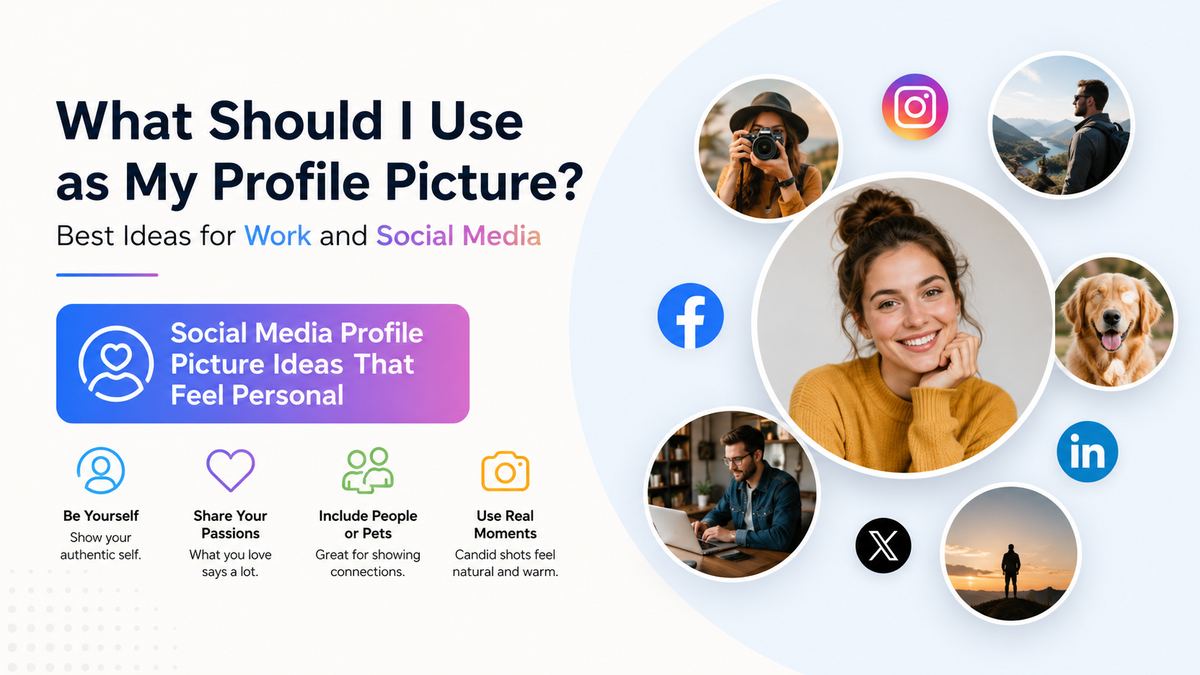
Make your interests part of the image
An interest-based photo can make your account more memorable and provide an easy conversation starter. If it still keeps you recognizable, it can be a great choice.
Examples include:
- A traveler using a bright portrait from a favorite destination
- A runner photographed after a race, with their face still visible
- A musician holding an instrument in a clean, close-up composition
- A book creator using a portrait in a cozy reading space
- A pet owner using a photo with their pet, while remaining the focal point
Avoid making the hobby overpower the image. A distant photo on a mountain may communicate adventure, but it may not work as a recognizable profile icon.
Use avatars thoughtfully
An illustrated avatar, character, logo, or stylized image can be useful when you want privacy, run a themed account, or maintain a consistent visual identity.
Avatars work especially well for:
- Gaming and community accounts
- Anonymous or privacy-conscious profiles
- Brand pages
- Art and fan communities
- Content creators with an established visual identity
For personal professional networking, however, a real photo usually builds more trust. If your name and expertise are central to the account, people generally prefer seeing the person behind it.
Choose the Right Background, Colors, and Composition
A background can either make your image feel polished or pull attention away from you. The best choice is usually simple and intentional.
Keep backgrounds clean but not lifeless
Neutral walls, softly blurred outdoor scenes, office spaces, cafés, and studio backdrops all work well. You do not need a plain white wall, but the setting should not compete with your face.
Strong background options include:
- A softly blurred park or city street
- A tidy office or workspace
- A solid color that complements your clothing
- A textured wall with subtle visual interest
- A bright window-lit interior
Avoid cluttered rooms, messy shelves, crowded events, and busy patterns. If the viewer’s eyes go to the background first, choose another image.
Use color strategically
Color affects how your image feels. Blue often reads as calm and trustworthy, while warmer tones can feel energetic and friendly. Neutral colors are versatile, particularly for work profiles.
For a cohesive personal brand, repeat one or two colors across your profile image, banner, website, or social templates. For instance, a fitness coach may use bright natural greens and blues, while a business consultant may favor navy, gray, or warm neutrals.
What to Avoid in a Profile Picture
Some images may be fun in context but do not perform well as profile pictures. The issue is rarely attractiveness; it is usually clarity, relevance, or professionalism.
Skip common mistakes
Avoid using:
- Group photos that make people guess which person is you
- Photos with an ex, cropped or otherwise
- Heavy filters that change your appearance dramatically
- Low-resolution screenshots or blurry selfies
- Distracting sunglasses, hats, or masks when identity matters
- Images where you are very far from the camera
- A logo for a personal professional account, unless it is a brand-first profile
A photo taken at a wedding, party, or vacation can work if it is clean, current, and centered on you. The setting matters less than the final impression.
Don’t over-edit your appearance
Light editing is fine. Adjusting brightness, cropping, color balance, or minor distractions can improve an image. But extensive retouching can make the photo feel unnatural or make you harder to recognize.
Aim for “your best normal day,” not an unrecognizable version of yourself.
Take a Great Profile Picture With Your Phone
You can create an excellent profile image without hiring a photographer. Modern phones are more than capable when you use simple setup techniques.
Follow a simple DIY setup
Try this process:
- Stand near a large window or outside in open shade.
- Choose a clean background several feet behind you.
- Position the camera at eye level.
- Use portrait mode only if the edge detection looks natural.
- Take several versions with slight changes in posture and expression.
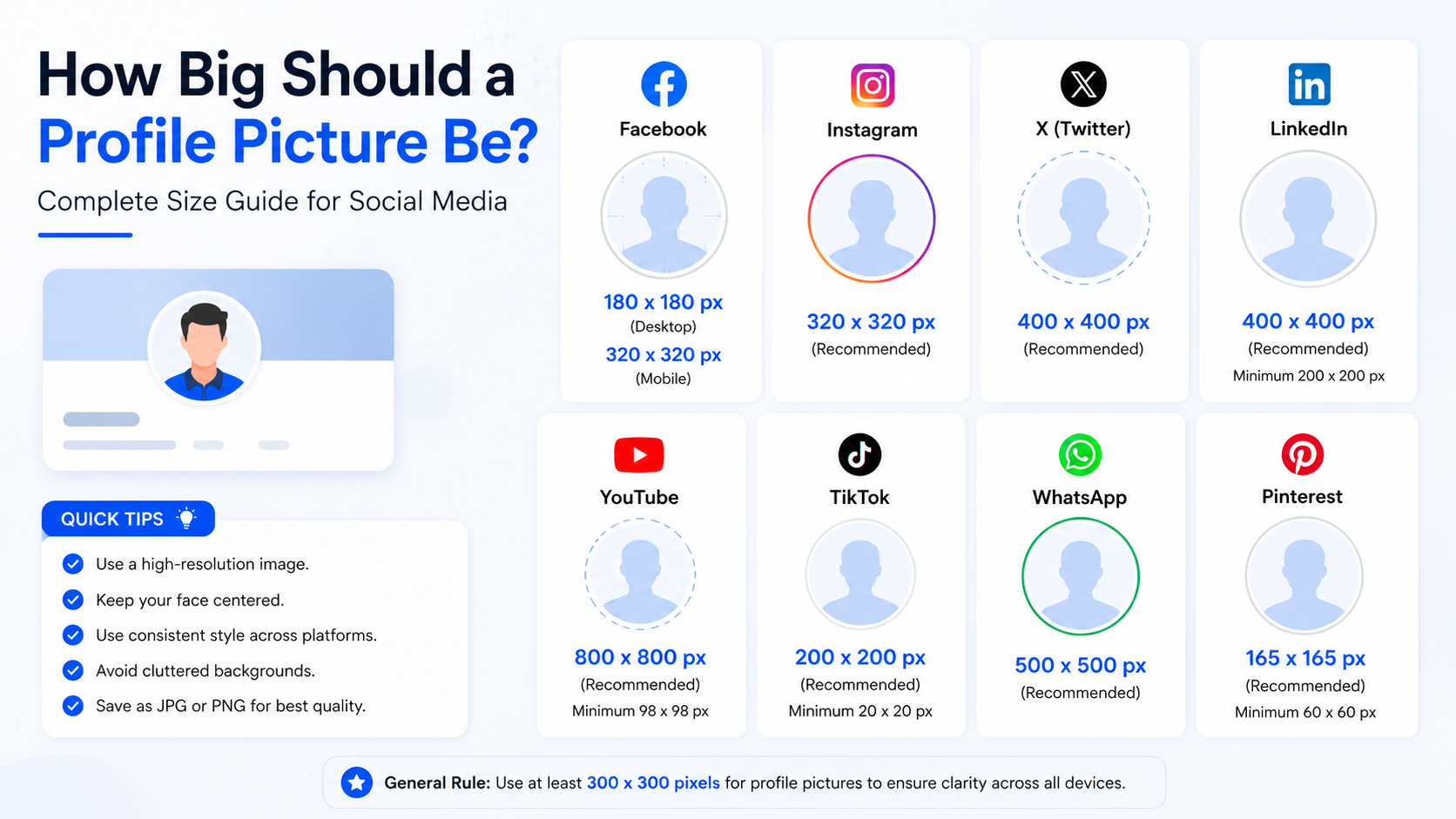
- Crop the final image so your face is clear at thumbnail size.
Ask a friend to take the photo if possible. Selfies can work, but they are often less flattering because of the angle and close lens distance.
Test before publishing everywhere
Open the image at its intended profile size before committing. A photo that looks excellent full-screen may appear dark, cramped, or unclear as a small circle.
Check:
- Can you clearly see your face?
- Does the crop cut off important details?
- Is the background still subtle?
- Does the image look good on both light and dark interfaces?
- Does it fit the audience and platform?
Getting a second opinion can help. Ask a trusted colleague for a work photo or a friend who understands your style for a social profile.
When to Update Your Profile Picture
A profile picture should stay current enough that people recognize you. There is no fixed schedule, but updating every one to three years is a useful guideline.
Update after a meaningful change
Consider a new picture when you:
- Change your hairstyle, glasses, or overall appearance substantially
- Start a new job, business, or career direction
- Refresh your website or personal brand
- Move from a student profile to a professional one
- Realize your current photo is low quality or no longer represents you
Keeping the same core image across major professional platforms can also make you easier to recognize. Use a consistent headshot on LinkedIn, your company bio, email profile, and portfolio whenever appropriate.
Frequently Asked Questions
Should I smile in my profile picture?
Usually, yes. A natural smile tends to make you look more approachable and trustworthy, especially for professional profiles. You do not need a broad grin; a relaxed expression with a slight smile is often ideal.
Is a selfie okay for a professional profile picture?
A selfie can work if it is well-lit, sharp, and cleanly composed. However, a photo taken by someone else often looks more polished and gives you better framing. Avoid obvious arm angles, mirror selfies, or casual bathroom backgrounds.
What should I wear for a work profile picture?
Wear something you would confidently wear when meeting an important colleague, client, or hiring manager in your field. Solid colors usually photograph well, while busy patterns can distract. Choose clothing that feels like you, but slightly more polished.
Can I use the same photo for LinkedIn and Instagram?
Yes, if the image fits both audiences. A warm, high-quality portrait can work across platforms. If your Instagram presence is highly personal or creative, though, you may prefer a more expressive version there while keeping LinkedIn more professional.
Should I use a photo of my pet or a logo instead of my face?
For personal accounts where relationships, networking, or trust matter, use your face. A pet photo or logo is better suited to themed, anonymous, business-first, or community accounts. If you include a pet, make sure viewers can still identify you easily.
Conclusion
The best profile picture ideas combine clarity, authenticity, and context. Choose a recent image where your face is easy to see, use flattering natural light, and tailor the style to the platform. A polished headshot can strengthen your professional presence, while a more personal image can make your social accounts feel distinctive and inviting.
Review your current profile pictures today: pick the one that best represents you now, test it at thumbnail size, and update your key accounts with a photo that makes the right first impression.