August 19, 2026 · 13 min read
What Is a WhatsApp Profile Photo and Why Does It Matter?
On this page
- What Is a WhatsApp Profile Photo?
- Why a WhatsApp Profile Photo Matters
- Choosing the Right WhatsApp Profile Photo
- Privacy Considerations for Your WhatsApp Profile Photo
- How to Set or Change a WhatsApp Profile Photo
- Common WhatsApp Profile Photo Mistakes
- WhatsApp Profile Photos for Businesses and Teams
- Frequently Asked Questions
- Conclusion
What Is a WhatsApp Profile Photo and Why Does It Matter?
A WhatsApp profile photo may seem like a small detail, but it often creates the first impression people have of you in a chat. Before someone reads your message, saves your number, or joins a call, they may see your image beside your name.
For personal conversations, it helps friends and family recognize you quickly. In professional settings, it can signal credibility, friendliness, and attention to detail. At the same time, because WhatsApp is tied to your phone number, your profile image can reveal more about you than you intend if your privacy settings are not carefully managed.
Understanding how a WhatsApp profile photo works—and how to use it well—can help you present yourself clearly while protecting your privacy.
Key Takeaways
- Your WhatsApp profile photo is the image associated with your account in chats, groups, and contact lists.
- A clear, current image makes it easier for contacts to identify and trust you.
- Professional users should choose a photo that matches the context of their work and audience.
- WhatsApp privacy settings let you control who can view your profile image.
- Avoid using photos that expose sensitive personal, location, or family information.
- Update your profile photo when your appearance, role, brand, or communication needs change.
What Is a WhatsApp Profile Photo?
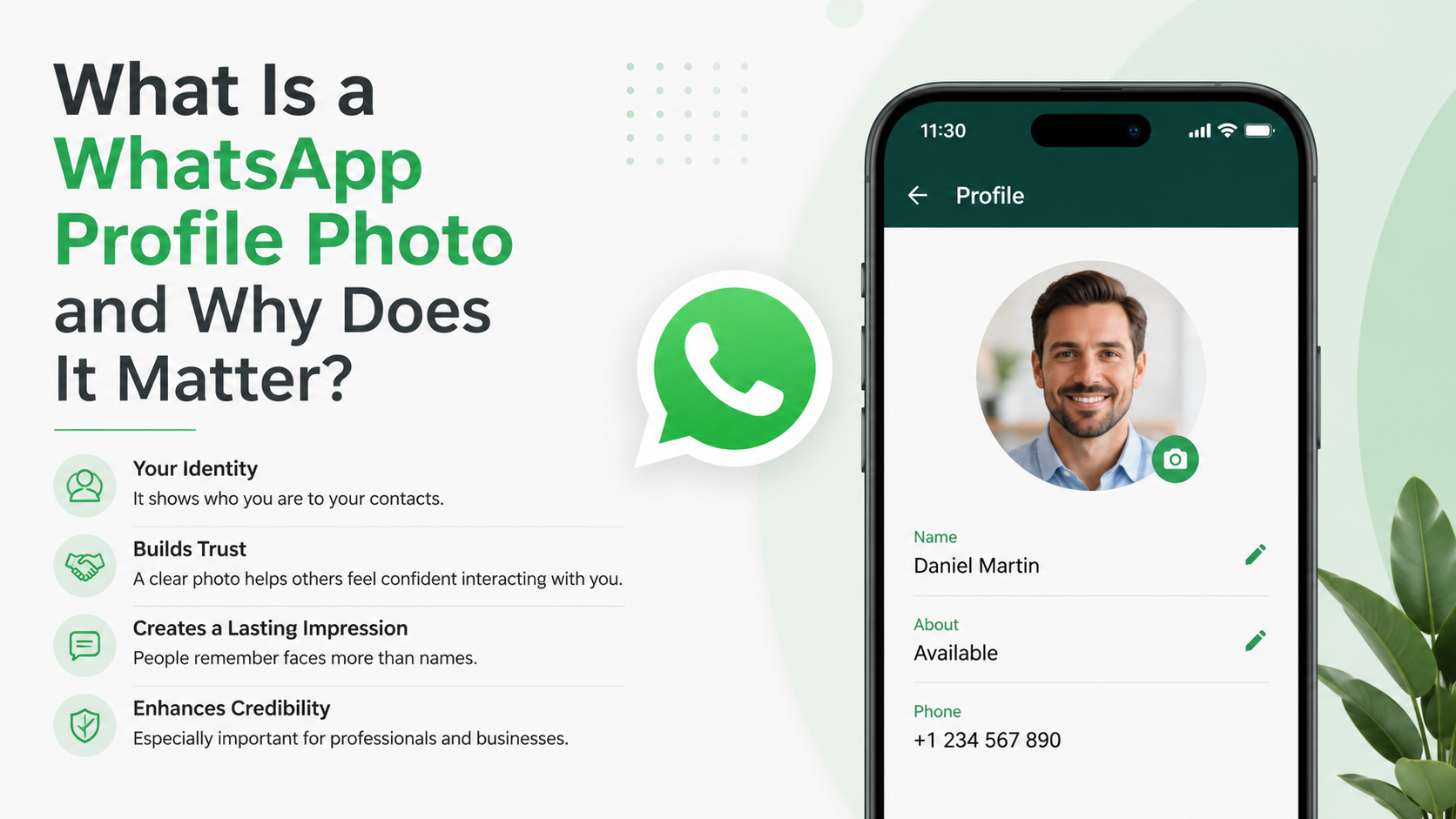
A WhatsApp profile photo is the picture displayed alongside your name and phone number on WhatsApp. It appears in one-to-one chats, group chats, contact lists, and the profile information screen, depending on each viewer’s settings and whether they have saved your contact.
It serves as a visual identifier. Instead of asking, “Which Alex is this?” contacts can recognize you immediately from your image.
Where Your Profile Photo Appears
Your WhatsApp profile photo can be visible in several places:
- At the top of an individual conversation
- Next to your messages in group chats
- In a contact’s WhatsApp contact list
- On your profile details page
- In call histories and incoming call screens
The exact visibility depends on your privacy settings and the other person’s relationship to your account, such as whether they are in your contacts.
Profile Photo vs. Status and Display Name
A WhatsApp profile photo is different from your display name and status.
- Profile photo: The image that visually represents your account.
- Display name: The name shown to people who have not saved your number, especially in groups.
- About/status text: A short line beneath your profile, such as “Available,” “In a meeting,” or a custom message.
Together, these elements form your WhatsApp identity. A recognizable photo, accurate name, and appropriate status make communication smoother and reduce confusion.
Why a WhatsApp Profile Photo Matters
Your image can influence how people interpret your message before they even respond. This is particularly important when communicating with new clients, colleagues, vendors, community groups, or prospective customers.
It Improves Recognition and Response Rates
People are more likely to open and respond to messages when they can confidently identify the sender. An unknown phone number paired with a blank profile image may be ignored, mistaken for spam, or treated cautiously.
For example, a freelance designer contacting a new client from an unfamiliar number is more likely to seem legitimate with a clear headshot, a professional display name, and a concise business description.
It Builds Trust in Professional Conversations
For businesses and professionals, a WhatsApp profile photo can support credibility. A polished headshot or company logo signals that the account is intentional and connected to a real person or organization.
This does not mean every profile image needs to look corporate. A warm, approachable photo often works better than an overly formal portrait. The key is alignment: your image should fit the relationship and purpose of your communication.
A real estate agent, for instance, may use a friendly headshot. A local bakery might use a clean logo or a recognizable product image. A consultant may prefer a simple, well-lit portrait that matches their LinkedIn presence.
It Adds Human Context to Digital Messages
Text messages lack many of the cues found in face-to-face communication. A profile photo adds a small but meaningful human signal. It can make routine messages feel more personal and reduce the distance that sometimes comes with business messaging.
In a busy group chat, seeing familiar faces also makes conversations easier to follow. This matters in teams, volunteer groups, school communities, and event planning chats where many people may have similar names.
Choosing the Right WhatsApp Profile Photo
The ideal WhatsApp profile photo depends on how you use the app. Someone using WhatsApp mostly for family chats can make a different choice from someone who communicates daily with customers or colleagues.
Personal Profile Photo Best Practices
For personal use, choose an image that makes you easy to recognize and feels comfortable to share with your permitted audience.
Good options include:
- A recent, clear photo of your face
- A casual but well-lit portrait
- A photo that reflects a hobby without obscuring your identity
- A simple image with minimal background distractions
Avoid heavily filtered photos, distant group pictures, or images where your face is too small to recognize. WhatsApp displays profile pictures in a small circular format, so details can disappear quickly.
Professional Profile Photo Best Practices
For professional communication, prioritize clarity, consistency, and relevance.
A strong professional WhatsApp profile photo should generally have:
- A clear view of your face or business logo
- Good lighting and sharp image quality
- A simple, uncluttered background
- Clothing and expression appropriate for your industry
- A visual style that matches your other professional profiles
For example, if you work in finance, law, healthcare, or consulting, a clean headshot may be the best fit. If you own a creative studio, a more expressive image can work as long as it remains recognizable and polished.
When a Logo Is Better Than a Photo
A logo is usually a better choice for a shared business account rather than a personal account. If multiple team members respond to customers through one WhatsApp Business number, a logo creates consistency and keeps the account centered on the company.
However, a logo should be simple enough to remain readable at a small size. Detailed logos, long taglines, and tiny lettering may become unreadable when cropped into WhatsApp’s circular profile frame.
Privacy Considerations for Your WhatsApp Profile Photo
Your profile photo can be useful, but it is also personal information. Because WhatsApp accounts are tied to phone numbers, it is worth thinking carefully about who should be able to see your image.
Control Who Can See Your Photo
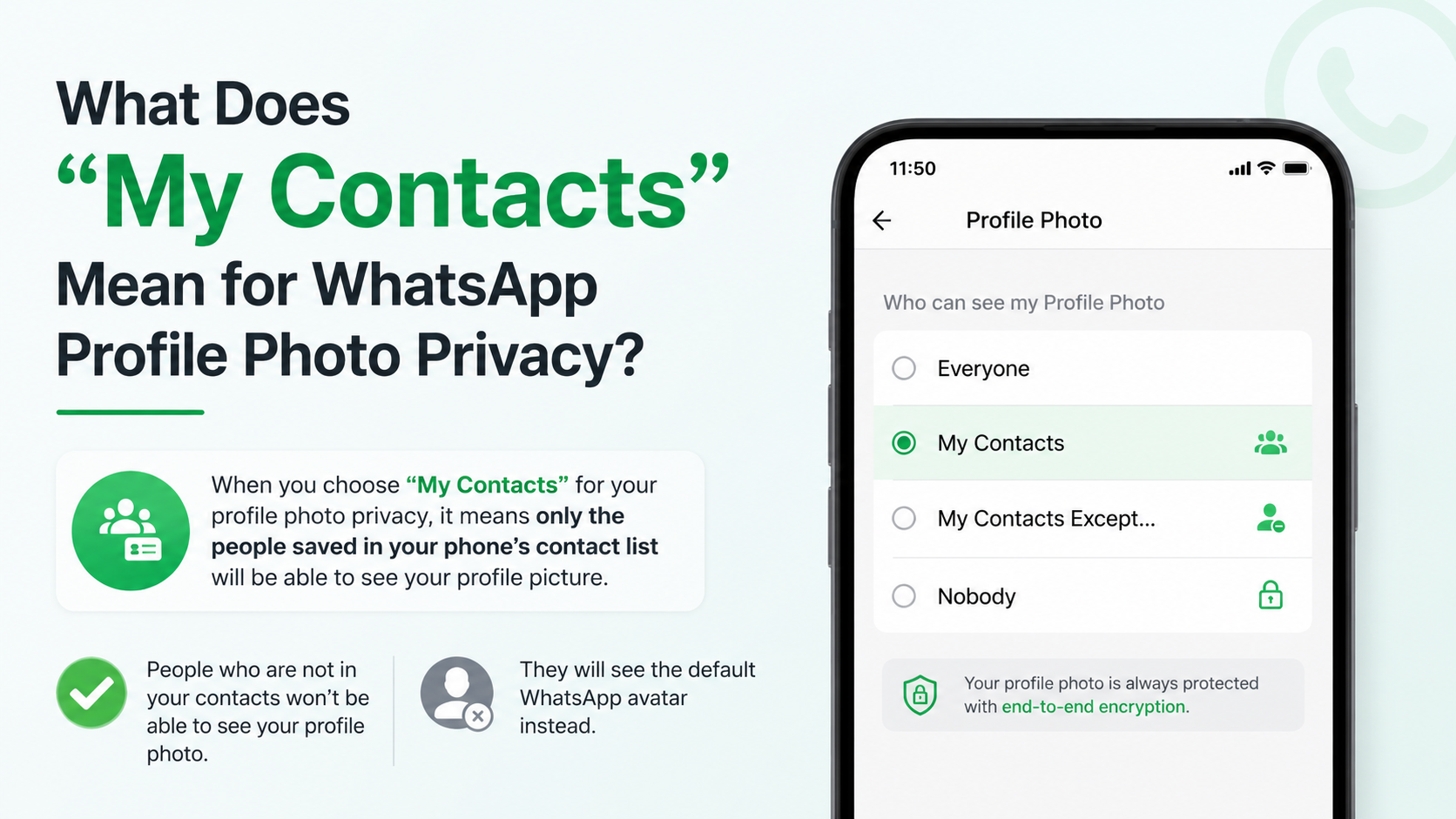
WhatsApp offers profile photo privacy controls that typically let you choose from options such as:
- Everyone: Any WhatsApp user who has your number may be able to view it.
- My Contacts: Only people saved in your phone contacts can view it.
- My Contacts Except: Your contacts can view it, except selected individuals.
- Nobody: No one can view your profile photo.
For most people, My Contacts offers a practical balance between recognition and privacy. For people dealing with unwanted contact, public-facing work, or sensitive personal circumstances, a more restrictive setting may be appropriate.
Avoid Revealing Sensitive Details
Even a harmless-looking photo can reveal information unintentionally. Before uploading an image, look closely at the background and context.
Avoid profile images that show:
- Your home address, building number, or recognizable entrance
- School uniforms, workplace badges, or confidential documents
- Your child’s identifying information
- Travel details that reveal you are currently away from home
- License plates, tickets, or personal documents
- Location data or publicly visible landmarks you do not want to share
A close-up portrait with a neutral background is often safer than a wide photo taken at home, work, or while traveling.
Consider the Audience of Group Chats
In group chats, your profile image may be seen by people you do not know personally. This is common in neighborhood groups, conferences, school parent groups, industry communities, and large event chats.
If you regularly join groups with unfamiliar members, use privacy settings that match your comfort level. You can still have a recognizable image while limiting visibility to your saved contacts.
How to Set or Change a WhatsApp Profile Photo
Updating your WhatsApp profile photo is straightforward, whether you use an Android phone or an iPhone. The labels may differ slightly by device and app version, but the process is similar.
Steps to Update Your Photo
- Open WhatsApp.
- Go to Settings.
- Tap your profile name or current profile image.
- Tap the profile photo icon.
- Choose to take a new photo, select one from your gallery, or remove the current image.
- Adjust the crop so your face, logo, or main subject remains centered.
- Save the change.
When cropping, remember that WhatsApp uses a circular display. Keep important elements away from the corners of the original image.
How Often Should You Update It?
There is no required schedule, but update your WhatsApp profile photo when it no longer reflects you or your role.
Consider changing it when:
- Your appearance has changed significantly
- You begin using WhatsApp for a new business or role
- Your company has updated its branding
- Your existing image is low-quality or outdated
- You want to improve recognition among new clients or groups
Frequent changes are not necessarily harmful, but consistency can help people recognize you. If you use WhatsApp professionally, avoid switching your image so often that contacts struggle to identify your account.
Common WhatsApp Profile Photo Mistakes
A profile photo does not need to be perfect, but a few common mistakes can make it less effective or less secure.
Using an Unclear or Overcrowded Image
A group photo may be meaningful to you, but it can confuse others. Contacts should not have to guess which person in the image is you.
Similarly, landscapes, distant photos, dark images, and busy backgrounds can make your profile look blank at a glance.
A better approach is to use one clearly visible subject and crop it tightly enough to remain recognizable in a small circle.
Sharing Too Much Personal Information
Some users choose profile photos without considering that coworkers, clients, casual contacts, or unknown group members may see them. A photo involving children, private family moments, alcohol, sensitive locations, or controversial messages may not suit every audience.
This does not mean you must use a formal headshot. It means choosing intentionally based on the people who can access your profile.
Using an Inconsistent Professional Identity
If your LinkedIn profile uses your real name and professional headshot but WhatsApp uses a cartoon, an old nickname, or an unrelated image, new contacts may question whether the account is genuinely yours.
For professionals who rely on WhatsApp for client communication, consistency across channels makes verification easier. Matching your photo, name, and business information helps create a more reliable digital presence.
WhatsApp Profile Photos for Businesses and Teams
For organizations, a WhatsApp profile photo is part of customer experience. It can help customers quickly distinguish an official business number from a personal account or potential scam.
Use Branding That Works at Small Sizes
A business profile image should be instantly recognizable. In most cases, this means using a simplified logo rather than a full marketing graphic.
Choose an image with:
- Strong contrast
- A centered logo mark
- Minimal text
- Clean edges and readable shapes
- Colors that align with your brand
Test the image at a small size before using it. If the logo becomes hard to identify, simplify it or use a version designed for social profile icons.
Identify Individual Team Members Clearly
When employees use their own WhatsApp accounts for customer communication, a personal photo paired with a clear business name can feel more trustworthy than a generic image.
For example, a customer service representative might use:
- A professional headshot
- Their real first and last name
- A business-related status such as “Customer Support | Acme Services”
This approach preserves a human connection while making the business relationship clear. Companies should also establish internal guidance on privacy, brand consistency, response standards, and what employees may share through WhatsApp.
Frequently Asked Questions
Can someone see my WhatsApp profile photo if they do not have my number saved?
It depends on your privacy settings. If your profile photo visibility is set to Everyone, people with your phone number may be able to see it even if they are not in your contacts. If it is set to My Contacts, only people you have saved can see it. Review your privacy options regularly, especially if you participate in large group chats.
Why can’t I see someone’s WhatsApp profile photo?
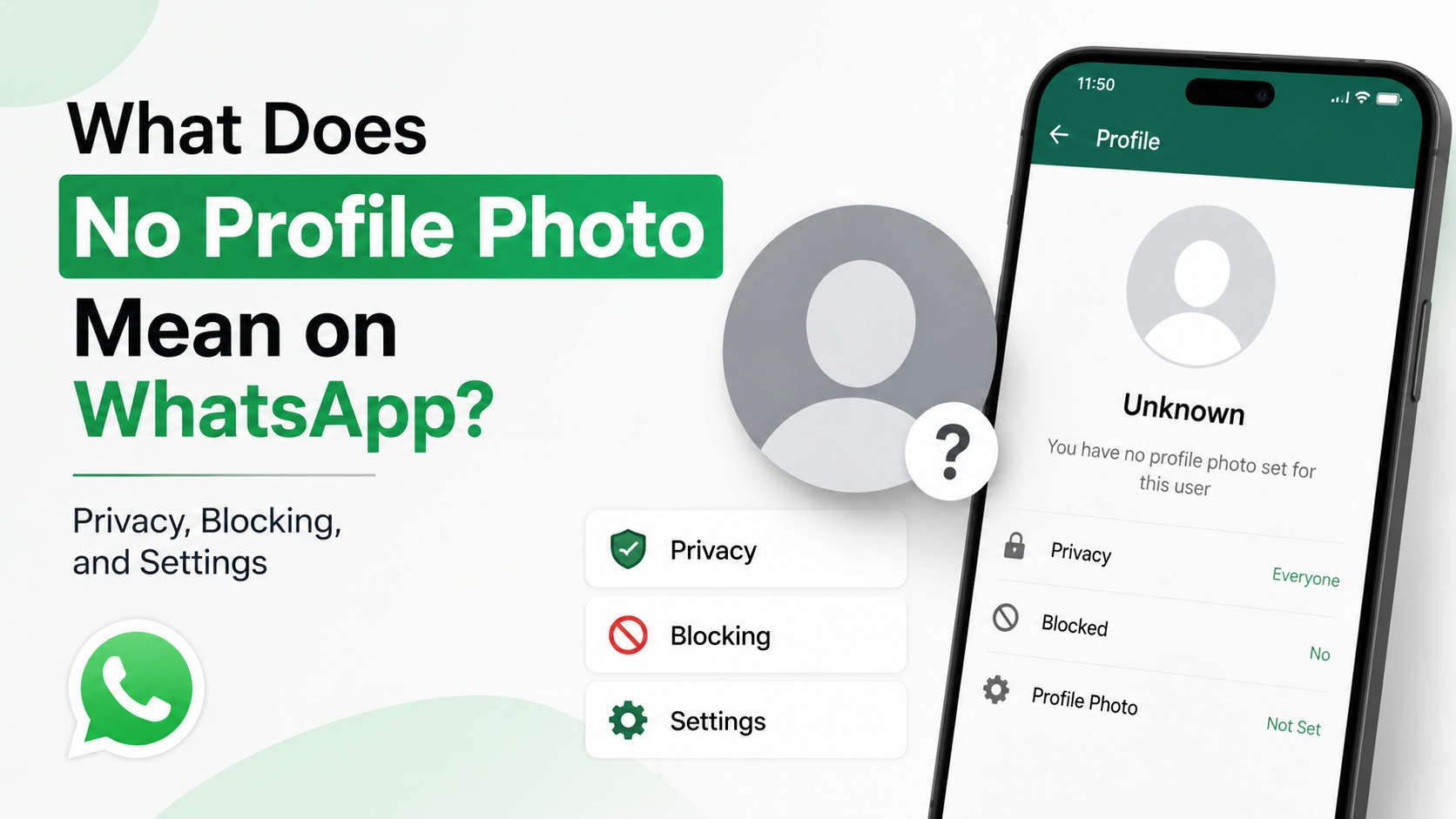
Several explanations are possible. They may not have set a photo, they may have removed it, or their privacy settings may prevent you from viewing it. In some cases, you may no longer be saved in their contacts, or they may have blocked you. A missing photo alone does not confirm any one reason.
What size should a WhatsApp profile photo be?
WhatsApp crops profile pictures into a circle, so use a square image with the main subject centered. A clear, high-resolution image is best. You do not need an oversized file; what matters most is sharpness, good lighting, and leaving enough space around the subject for circular cropping.
Should I use a photo of myself or a business logo?
Use a photo of yourself when people are communicating directly with you as an individual—such as a consultant, salesperson, freelancer, manager, or service provider. Use a logo when the account represents a company, especially a shared WhatsApp Business account. The best option is the one that makes the sender’s identity instantly clear.
Can I hide my profile photo from one person?
Yes. WhatsApp privacy settings commonly include a My Contacts Except option that lets you exclude selected contacts from viewing your profile photo. This is useful when you want to remain visible to most contacts without sharing your image with specific people.
Conclusion
A WhatsApp profile photo is more than a small account setting: it is a fast visual signal of identity, trust, and professionalism. A clear image helps the right people recognize you, while thoughtful privacy settings help you control who sees it.
Choose a photo or logo that fits your purpose, keep it current, crop it for visibility, and avoid revealing details you would prefer to keep private. Take a moment to review your WhatsApp profile photo and privacy settings today—small adjustments can make your communication more credible, recognizable, and secure.
Advertisement