August 19, 2026 · Updated August 23, 2026 · 10 min read
Which Is the Best Profile Photo Style for Professional and Social Accounts?
On this page
- Why Your Profile Photo Style Matters
- The Best Profile Photo for Professional Accounts
- The Best Profile Photo for Social Accounts
- Lighting: The Fastest Way to Improve Any Photo
- Expression, Pose, and Body Language
- Background, Crop, and Technical Quality
- Should You Use the Same Photo Everywhere?
- Frequently Asked Questions
- Conclusion
Which Is the Best Profile Photo Style for Professional and Social Accounts?
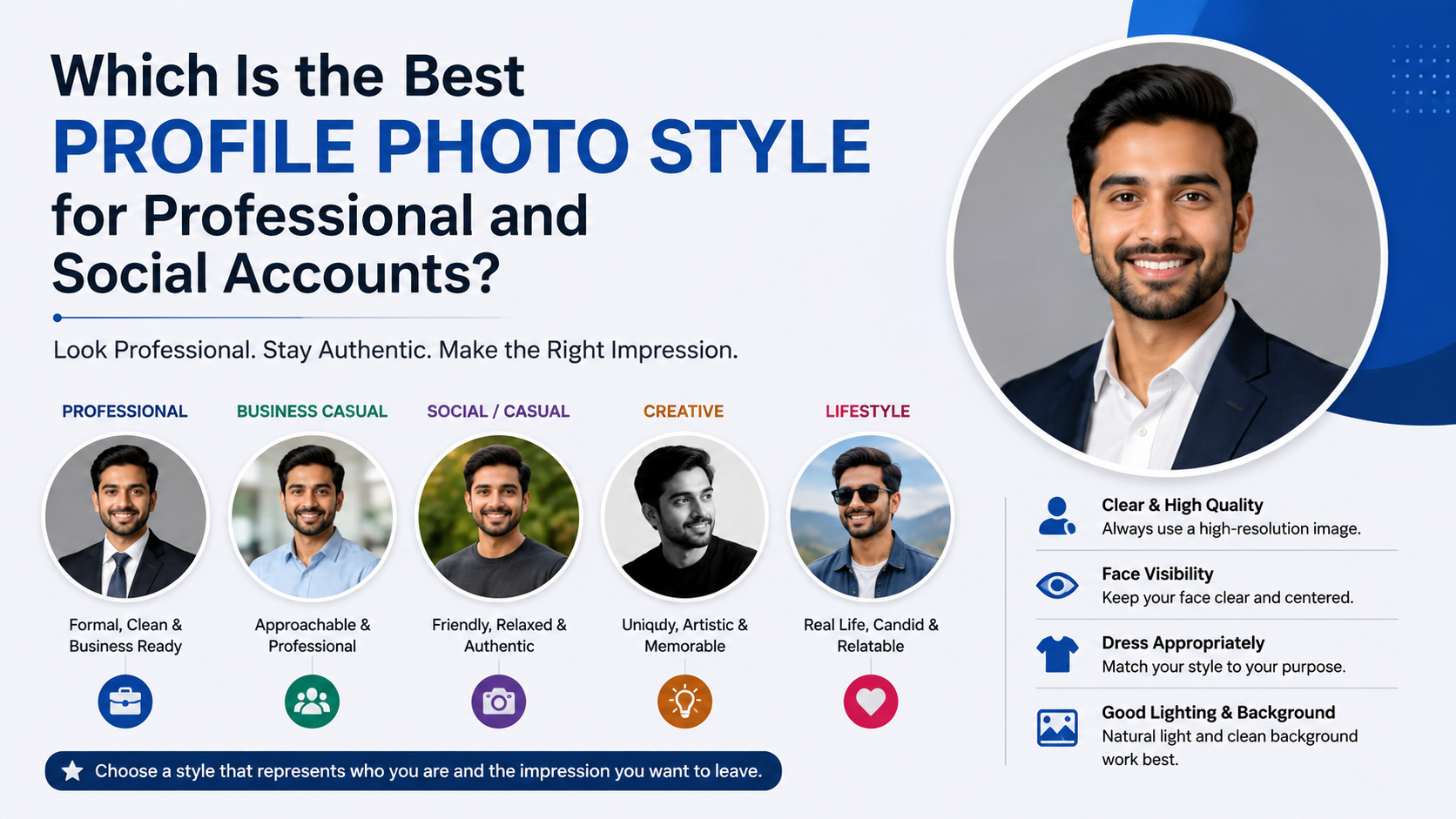
Your profile photo is often your first introduction—before someone reads your bio, opens your résumé, or replies to your message. Whether it appears on LinkedIn, a company website, Instagram, WhatsApp, or a dating and community platform, the right image should make you look approachable, credible, and recognizably yourself.
The best profile photo is not a single universal style. It depends on where you use it, what impression you want to make, and what your audience expects. A polished headshot may be ideal for a professional network, while a relaxed outdoor portrait can feel more natural on social platforms. The goal is consistency without looking overly staged.
Key Takeaways
- Use a clear, recent photo that makes your face easy to recognize at small sizes.
- Match your style, clothing, and background to the platform and audience.
- Prioritize natural lighting, sharp focus, and uncluttered composition.
- Choose an expression that feels confident and approachable rather than forced.
- Keep your main profile image consistent across professional channels for stronger personal branding.
- Refresh your photo every one to three years, or sooner after a major change in appearance.
Why Your Profile Photo Style Matters
A profile image shapes people’s expectations in seconds. It signals professionalism, personality, confidence, and relevance before a conversation begins. Even when people know better than to judge solely by appearance, a clear and intentional image helps create trust.
First Impressions Happen Quickly
On crowded platforms, users scan quickly. A bright, focused, face-forward photo is easier to notice than a dark group shot or a heavily filtered selfie. If viewers cannot immediately tell who you are, the photo is not doing its job.
For example, a recruiter reviewing dozens of LinkedIn profiles is more likely to remember a candidate with a clean, friendly, well-framed portrait than one using a vacation photo cropped from a group.
A Photo Supports Your Personal Brand
Your profile photo should reinforce the way you want to be perceived. A financial consultant may choose a polished, neutral-background headshot. A travel creator might use a vibrant outdoor image that reflects movement and curiosity. Neither approach is automatically better—the key is alignment.
Ask yourself:
- What do I want people to associate with me?
- Who is likely to view this account?
- Should this image feel formal, creative, warm, energetic, or authoritative?
- Does this photo look like me today?
The Best Profile Photo for Professional Accounts
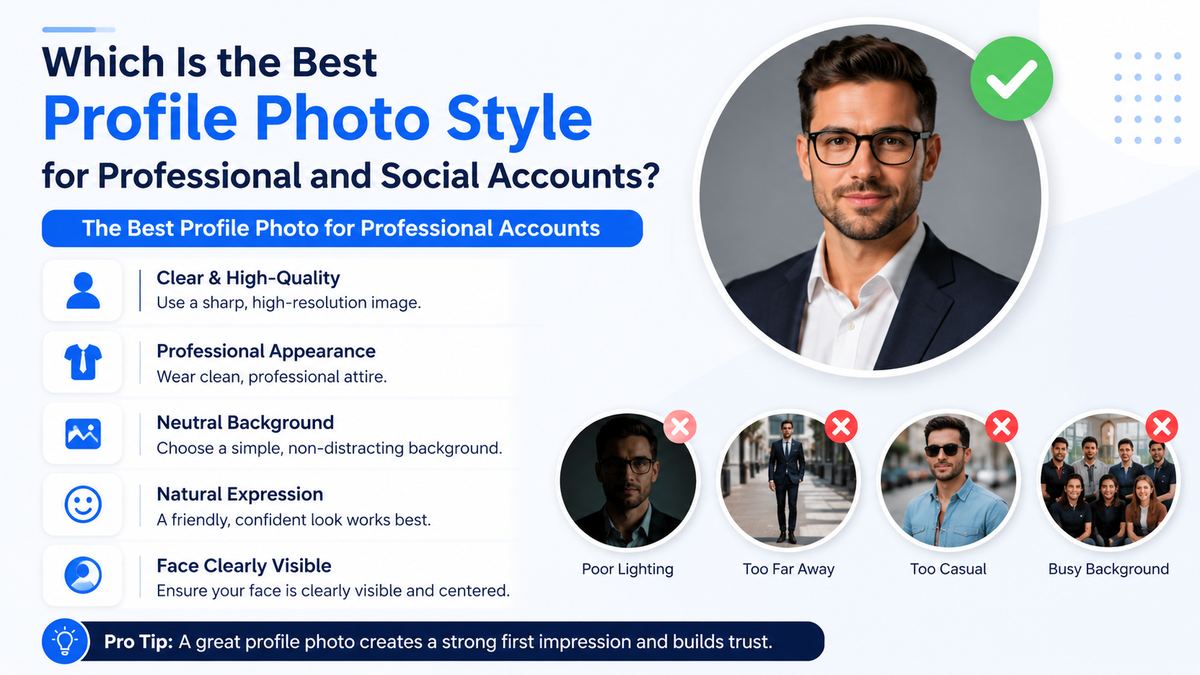
Professional accounts generally benefit from clarity, consistency, and a polished but human appearance. This includes LinkedIn, company bios, portfolios, email avatars, speaker pages, and professional association profiles.
Choose a Head-and-Shoulders Composition
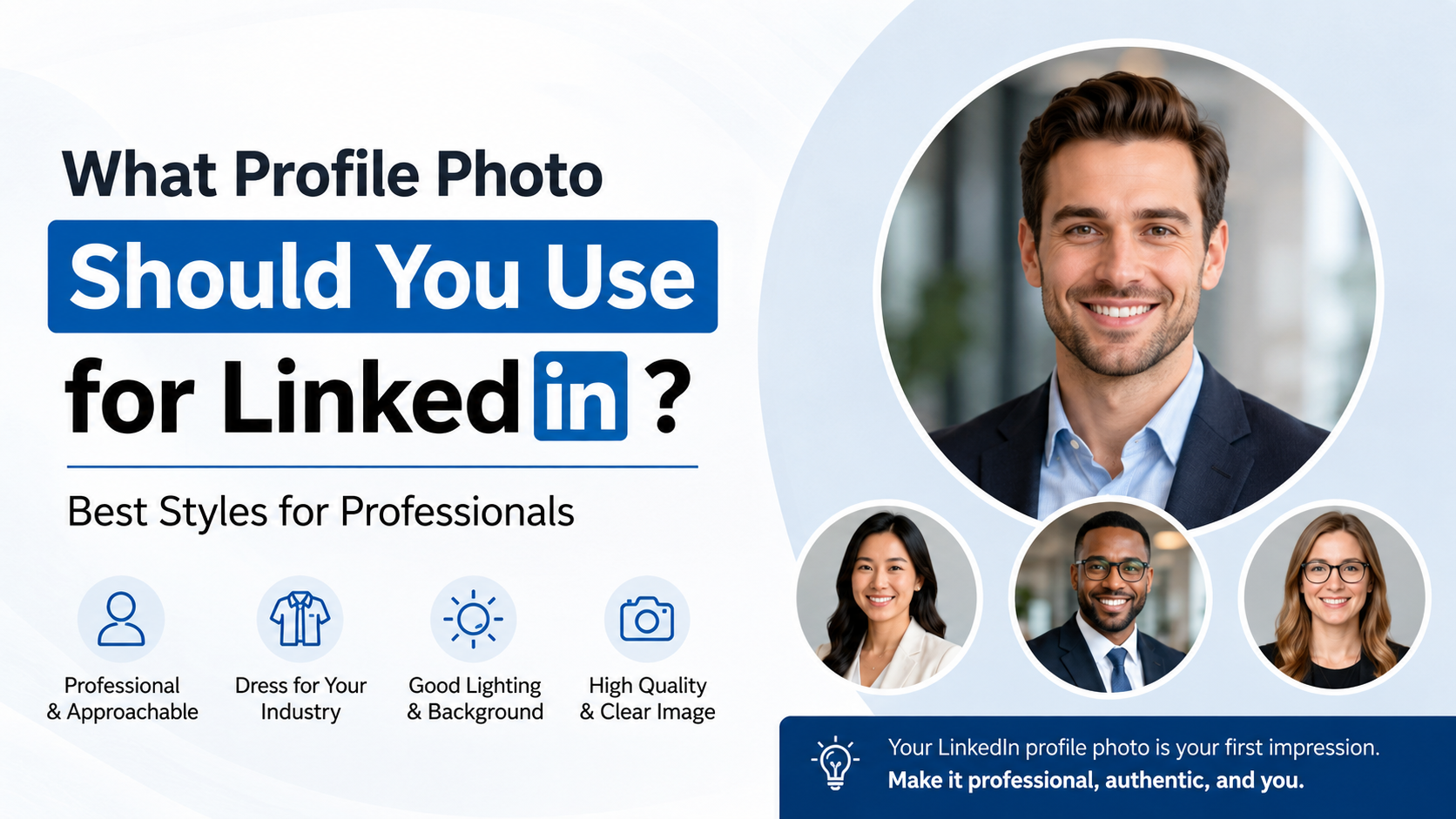
For most professional uses, a head-and-shoulders portrait is the safest and strongest option. Your face should occupy roughly 50% to 70% of the frame, with enough space around your head that the photo does not feel cramped.
Avoid full-body photos for small circular profile spaces. They make your face too small to recognize.
A strong professional composition includes:
- Your eyes positioned near the upper third of the image
- Your face clearly visible and facing the camera or turned slightly
- A simple crop from mid-chest or shoulders upward
- Enough contrast between you and the background
Wear Clothing That Fits Your Industry
You do not need a suit for every professional profile. Instead, wear an outfit that is one level more polished than your typical work attire.
For example:
- Corporate, legal, and finance professionals: blazers, button-down shirts, elegant tops, or businesswear
- Technology and startups: clean business-casual clothing, such as a solid shirt, knit top, or simple jacket
- Creative professionals: polished clothing with a little more personality, such as interesting color, texture, or accessories
- Healthcare and education professionals: neat, approachable, practical clothing that fits the setting
Solid colors usually photograph better than loud patterns. Mid-tone blues, greens, burgundy, charcoal, and soft neutrals are reliable choices.
Use a Clean, Purposeful Background
A plain wall, softly blurred office, studio background, or outdoor setting with gentle depth can all work well. The background should support the image without competing for attention.
Avoid:
- Busy kitchens, bedrooms, or cluttered desks
- Harsh fluorescent office lighting
- Random people visible behind you
- Distracting signs, logos, or bright objects
- Backgrounds that blend into your clothing or hair
The Best Profile Photo for Social Accounts
Social platforms leave more room for personality. Your photo can be less formal while still being clear, flattering, and intentional.
Let Your Personality Show
The best profile photo for Instagram, Facebook, X, TikTok, or community groups often communicates a little more about your lifestyle or interests. You might use an outdoor portrait, a candid event photo, or a creative image that reflects your style.
For example, a fitness coach could choose an energized outdoor image in activewear, while a book reviewer might use a warm, naturally lit photo in a cozy setting. The photo should still center on you—not just the activity.
Keep the Face Visible
A social profile is not the place for a distant landscape photo, a pet-only image, or a group photo where people have to guess which person is you. Those images can be excellent posts, but they are weaker profile pictures.
A useful rule: if your face is difficult to identify in a thumbnail, choose a different photo.
Use Color Strategically
Social accounts can support more vibrant colors and visually interesting settings. A colorful background, stylish outfit, or recognizable environment can help the image feel memorable.
However, avoid excessive filters or edits that make your skin tone, facial features, or eye color look unnatural. Authenticity ages better than a trend-heavy effect.
Lighting: The Fastest Way to Improve Any Photo
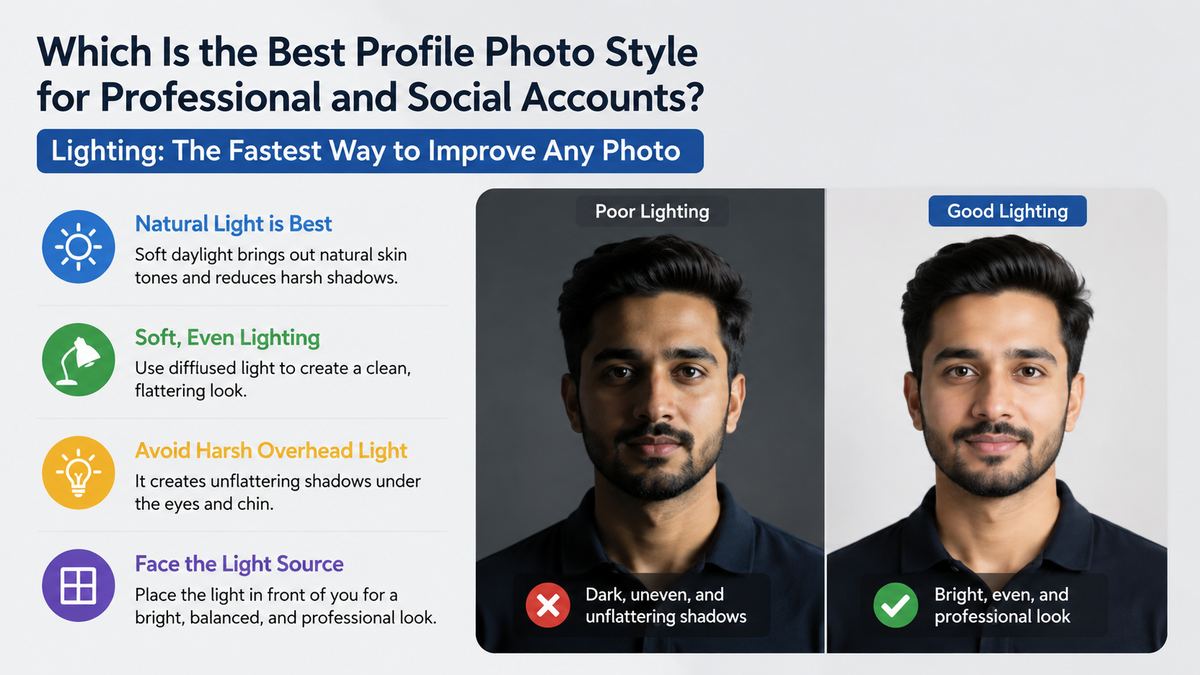
Great lighting matters more than expensive equipment. A smartphone photo in flattering light can look more professional than a studio image with poor composition.
Use Soft Natural Light
The easiest setup is standing near a large window during daytime, facing the light. Overcast days provide especially soft, even lighting. If you are outdoors, open shade—such as near a building or under a covered area—helps avoid harsh shadows.
Good lighting should:
- Brighten both sides of your face evenly
- Create catchlights, or small reflections, in your eyes
- Avoid deep shadows under the eyes and chin
- Preserve natural skin tone and detail
Avoid Common Lighting Mistakes
Do not stand with a bright window directly behind you unless you want a silhouette. Avoid overhead-only lighting, which can create unflattering shadows. Flash can work in controlled situations, but direct phone flash often looks harsh.
If you must photograph indoors at night, use two soft lamps placed in front of you and slightly to each side rather than relying on a single ceiling light.
Expression, Pose, and Body Language
The best profile photo style should look intentional but not stiff. Small changes in expression and posture can make a major difference.
Aim for Warm Confidence
A genuine, relaxed smile is usually the most versatile expression. You do not need a broad grin if it does not feel natural, but a neutral expression should still appear open and engaged.
Try thinking of a person you enjoy talking to just before the photo is taken. This often creates a more authentic expression than being told to “smile.”
Use a Slight Angle
Standing or sitting with your shoulders turned slightly away from the camera can create a more natural shape than facing forward completely. Keep your head gently turned toward the camera, and avoid tilting it too far.
Helpful posing tips include:
- Keep your shoulders relaxed
- Extend your chin slightly forward and down
- Maintain good posture without appearing rigid
- Keep your eyes directed toward the lens
- Take multiple photos and choose the most natural one
Background, Crop, and Technical Quality
Profile photos are often displayed in small circles, so technical basics matter. A beautiful photo can fail if the crop cuts off your face or important visual details.
Frame for Circular Crops
Many platforms automatically crop profile images into circles. Before uploading, make sure your face remains centered and that your hair, shoulders, and facial features will not be cut off.
Leave extra space around the top and sides of your head. This gives you flexibility across LinkedIn, Google profiles, messaging apps, and social networks.
Prioritize Sharpness Over Perfection
Your image should be high-resolution and in focus, but it does not need to look airbrushed. Over-editing can reduce credibility, especially on professional profiles.
Before publishing, check:
- Is my face clear when viewed as a small thumbnail?
- Is the image bright enough?
- Is the photo recent?
- Is there distracting clutter?
- Does the crop work in a circular frame?
- Does the image accurately represent me?
Should You Use the Same Photo Everywhere?
Using the same photo across accounts can strengthen recognition, especially if you are building a professional reputation. When someone sees the same image on LinkedIn, your company site, and an email profile, it becomes easier to connect those identities.
When Consistency Is Best
Use a consistent professional image across:
- LinkedIn and job-search profiles
- Your company biography
- Professional email accounts
- Portfolio sites
- Conference speaker pages
- Industry communities
This is especially useful for consultants, freelancers, job seekers, founders, and public-facing professionals.
When Different Photos Make Sense
You can use a different, more relaxed version of your image on personal social accounts. The important thing is that both photos still look like the same person and align with the audience.
For instance, a marketing manager might use a clean headshot on LinkedIn and a casual outdoor portrait on Instagram. Both can feel authentic while serving different purposes.
Frequently Asked Questions
What is the best profile photo style for LinkedIn?
A recent head-and-shoulders photo with good lighting, a simple background, and polished clothing is usually best for LinkedIn. Your face should be clear, centered, and approachable. Choose a style that fits your field without making you look overly formal or unlike yourself.
Should I smile in a profile photo?
Usually, yes. A natural smile helps you appear friendly, confident, and approachable. If a full smile feels uncomfortable, a relaxed expression with a slight smile can work well. Avoid expressions that look forced or overly serious unless your professional context specifically calls for it.
Can I use a selfie as a profile photo?
A selfie can work for casual social accounts if it is well-lit, sharp, and clearly framed. For professional accounts, a self-timer, tripod, or photo taken by another person usually produces a more polished result. Avoid mirror selfies and extreme angles for work-related profiles.
What background is best for a profile photo?
For professional profiles, a plain wall, softly blurred workspace, or understated outdoor background is ideal. For social profiles, you can use more color and personality, provided the background does not distract from your face.
How often should I update my profile photo?
Update it whenever it no longer resembles your current appearance, after a major professional change, or every one to three years. A recent photo helps prevent awkward first meetings and makes your online presence feel active and trustworthy.
Conclusion
The best profile photo balances clarity, authenticity, and platform-appropriate style. For professional accounts, choose a polished headshot with clean lighting, a simple background, and confident body language. For social accounts, allow more personality while keeping your face visible and your image recognizable.
Take a few photos in natural light, test how they look as a small circular thumbnail, and select the one that feels most like the capable, approachable version of you. Then update your key profiles and make your first impression count.