August 19, 2026 · Updated August 24, 2026 · 13 min read
Does Instagram Have a Profile Cover Photo? What You Can Customize
On this page
- Does Instagram Have a Profile Cover Photo?
- Understanding the Difference Between a Cover Photo and Profile Picture
- What You Can Customize on an Instagram Profile
- Story Highlight Covers: The Closest Thing to an Instagram Profile Cover Photo
- Use Your Grid as a Visual Profile Header
- Customize Reel Covers and Post Thumbnails
- Professional Account Features That Improve Your Profile
- Best Practices for a Strong Instagram Profile Design
- Common Instagram Profile Customization Mistakes
- Frequently Asked Questions
- Conclusion
Does Instagram Have a Profile Cover Photo? What You Can Customize
Instagram profiles make a first impression in seconds. That is why many users look for an Instagram profile cover photo—a wide banner image like the cover photos used on Facebook, LinkedIn, or X.
The short answer is no: Instagram does not offer a traditional, permanent profile cover photo or header banner. However, it gives you several powerful ways to shape how your profile looks, communicates, and converts visitors into followers, customers, or collaborators.
From your profile picture and bio to Story Highlight covers, post thumbnails, links, and grid layout, every visible element contributes to your profile identity. Used strategically, these options can create the same polished, branded effect that a cover photo provides on other platforms.
Key Takeaways
- Instagram does not have a standard profile cover photo or wide header banner.
- Your profile picture is the most prominent visual identifier at the top of your profile.
- Story Highlight covers are the closest equivalent to a customizable profile-cover design feature.
- Reel covers, post thumbnails, and your grid can create a cohesive visual brand experience.
- Businesses and creators can further customize profiles with category labels, action buttons, and external links.
- Consistency matters more than complicated design: use recognizable colors, fonts, imagery, and messaging.
Does Instagram Have a Profile Cover Photo?
Instagram does not currently provide a dedicated profile cover photo feature. Unlike Facebook Pages, which display a large horizontal image above profile information, Instagram keeps the top of a profile compact and mobile-focused.
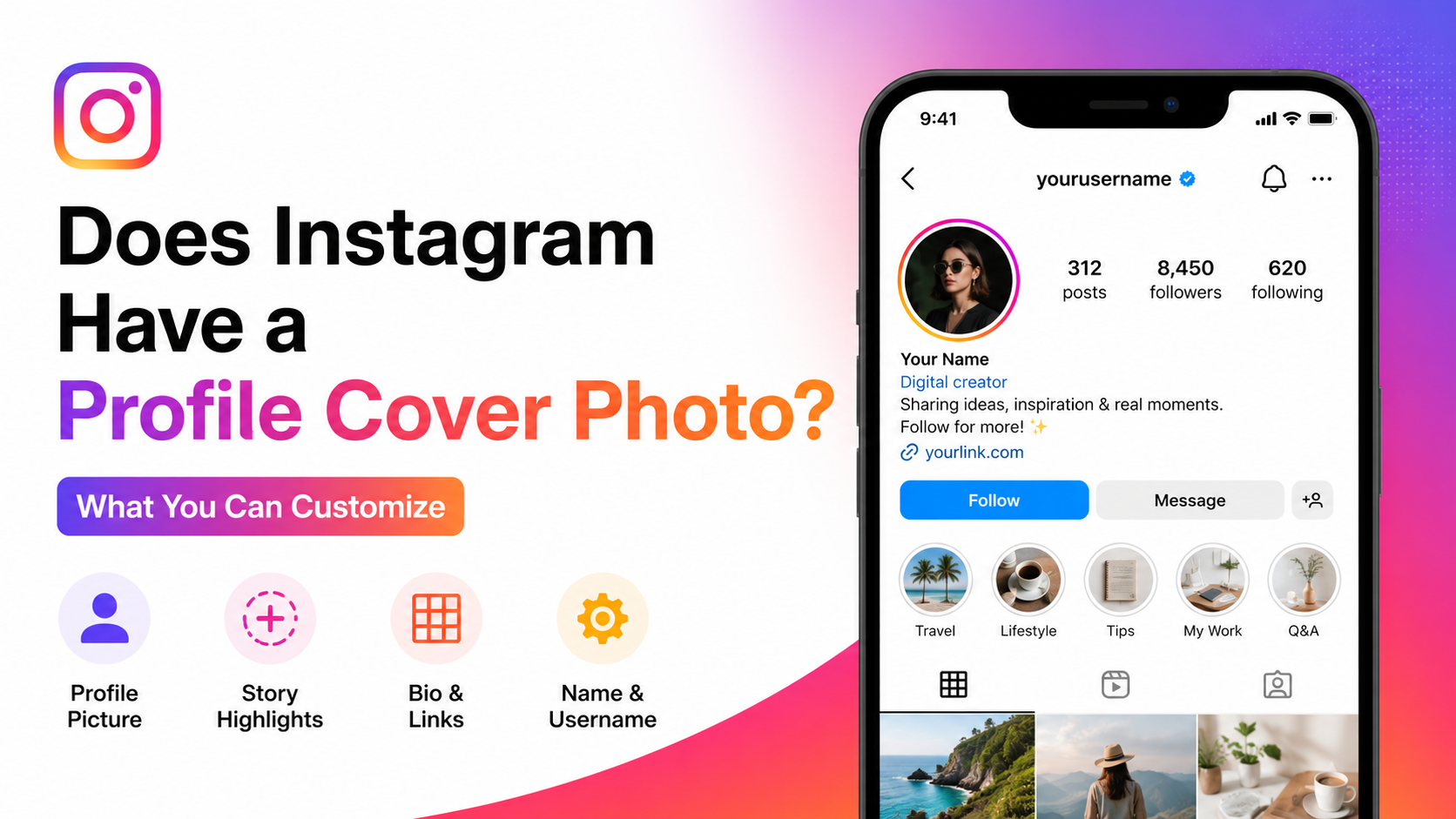
When someone visits your profile, they typically see:
- Your circular profile picture
- Username and display name
- Bio
- Website or link hub
- Follower and following counts
- Category label, if applicable
- Action buttons for eligible professional accounts
- Story Highlights
- Your post and Reel grid
This design places more importance on a collection of smaller profile elements rather than one large banner image.
Why People Search for an Instagram Profile Cover Photo
The phrase “Instagram profile cover photo” is commonly used because people want a more branded, professional profile header. They may be looking for a way to:
- Add a logo, slogan, or campaign message
- Display products or services
- Introduce a visual identity quickly
- Make a personal or business profile look more polished
- Match their Instagram presence with other social platforms
While Instagram does not support a banner at the top of a profile, Story Highlight covers and grid design can help accomplish many of these goals.
What Instagram Uses Instead of a Cover Banner
Instagram prioritizes visual storytelling through the profile picture, Highlights, and content feed. Instead of designing one static cover photo, you can build a complete profile experience.
For example, a travel creator may use:
- A recognizable headshot as the profile image
- A concise bio stating their niche and location
- Highlight covers labeled “Japan,” “Tips,” “Hotels,” and “Gear”
- Reel covers with consistent destination names
- A grid that uses similar colors and editing styles
Together, these elements create an intentional visual identity without needing a traditional profile cover photo.
Understanding the Difference Between a Cover Photo and Profile Picture
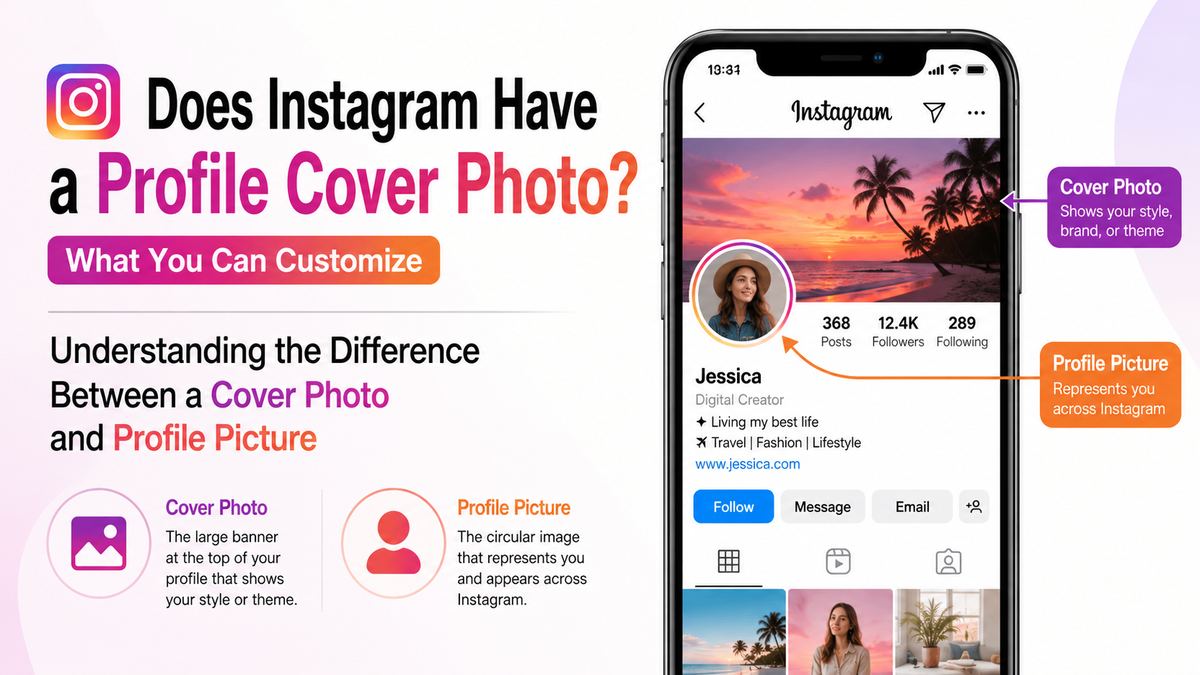
A profile picture and a cover photo serve different purposes. Knowing the distinction helps you spend your design effort in the right places.
Profile Picture: Your Main Identity Marker
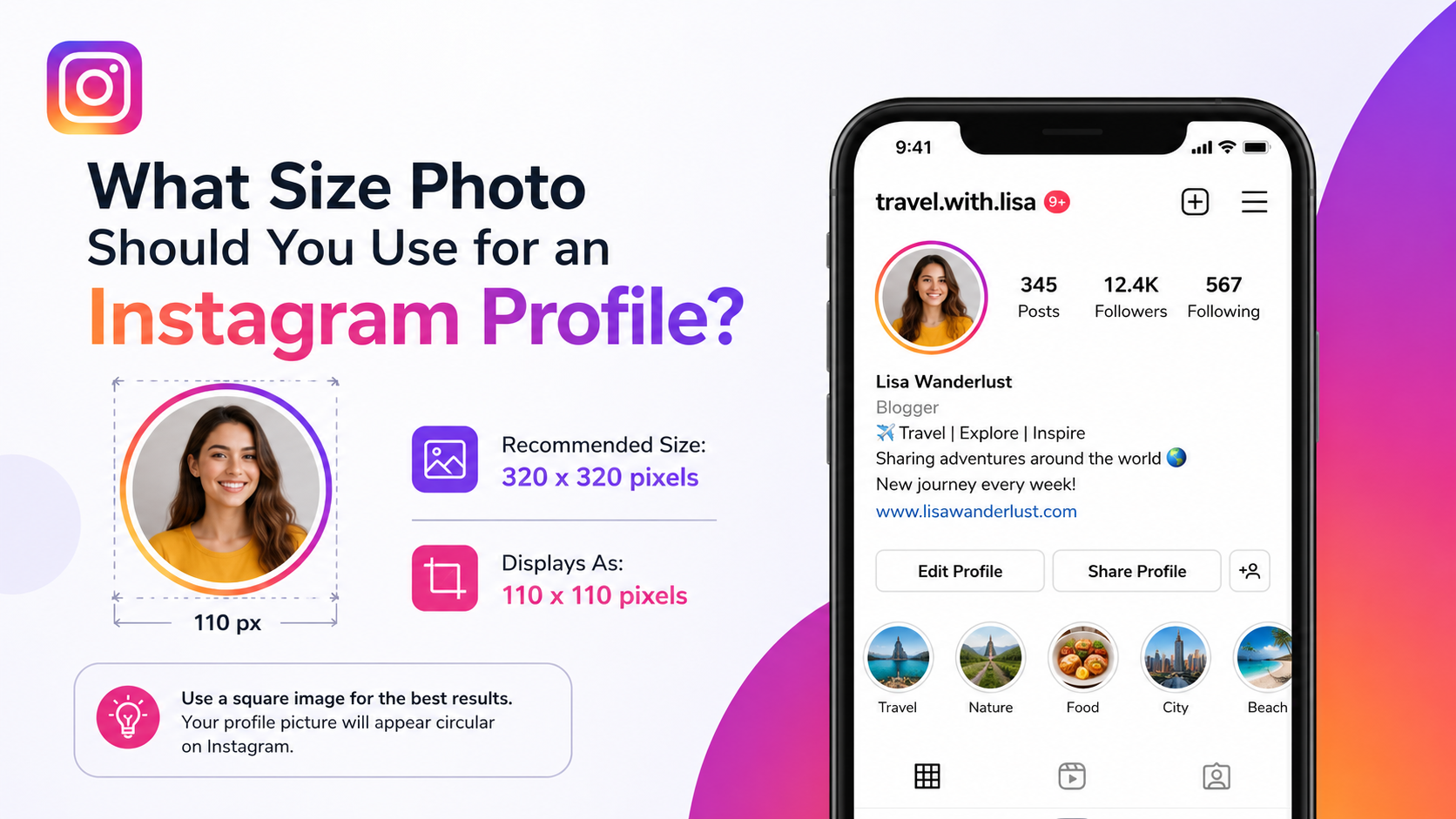
Your Instagram profile picture appears in a circular format beside your bio. It also appears throughout the platform—in comments, direct messages, Stories, search results, notifications, and posts.
For individuals, a clear, well-lit face usually performs best. For brands, a simple logo with enough contrast to remain readable at a small size is often the strongest choice.
A useful profile picture should be:
- Easy to recognize at a small scale
- Centered so important details are not cropped by the circle
- Consistent with your other social channels
- Clear against light and dark interface backgrounds
- Updated only when your brand identity genuinely changes
Avoid cramming text, phone numbers, or detailed illustrations into this small space. Those details will usually become unreadable.
Cover Photo: A Feature Instagram Does Not Offer
A cover photo is generally a wide, horizontal image used to provide context, personality, or brand information. It can include a tagline, campaign visual, team photo, product line, or seasonal promotion.
Instagram does not provide this type of fixed top-of-profile banner. You cannot upload a wide image behind your bio or profile picture as an official profile cover.
If you see a profile that appears to have a “cover,” it is usually using a combination of pinned posts, Highlight covers, coordinated Reels, and a planned grid.
What You Can Customize on an Instagram Profile
Although there is no Instagram profile cover photo, Instagram profiles offer enough customization options to build a strong and recognizable presence.
Your Name, Username, and Bio
Your display name and bio are among the first text elements visitors see. The display name can help with discoverability, especially when it includes a relevant keyword.
For example, instead of using only “Maya,” a freelance designer could use:
Maya Chen | Brand Designer
That makes the profile’s purpose immediately clear and may help relevant users find it through search.
Your bio should quickly answer three questions:
- Who are you?
- What do you offer or share?
- What should visitors do next?
A simple business bio might look like this:
Sustainable skincare for sensitive skin
Vegan, fragrance-free essentials
Shop the collection below ↓
Keep it focused. A bio does not need to explain everything; it needs to make the right next step obvious.
Links and Calls to Action
Instagram allows you to add external links to your profile. This is especially useful for directing visitors to:
- A website
- An online store
- A booking page
- A portfolio
- A newsletter signup
- A product launch page
- A link hub containing multiple destinations
Professional accounts may also have access to relevant action buttons, depending on account type and region. These can make it easier for potential customers to contact, book, email, or learn more about your business.
Treat your profile link as premium space. Update it when you launch a campaign, release a product, publish a major resource, or promote an event.
Story Highlight Covers: The Closest Thing to an Instagram Profile Cover Photo
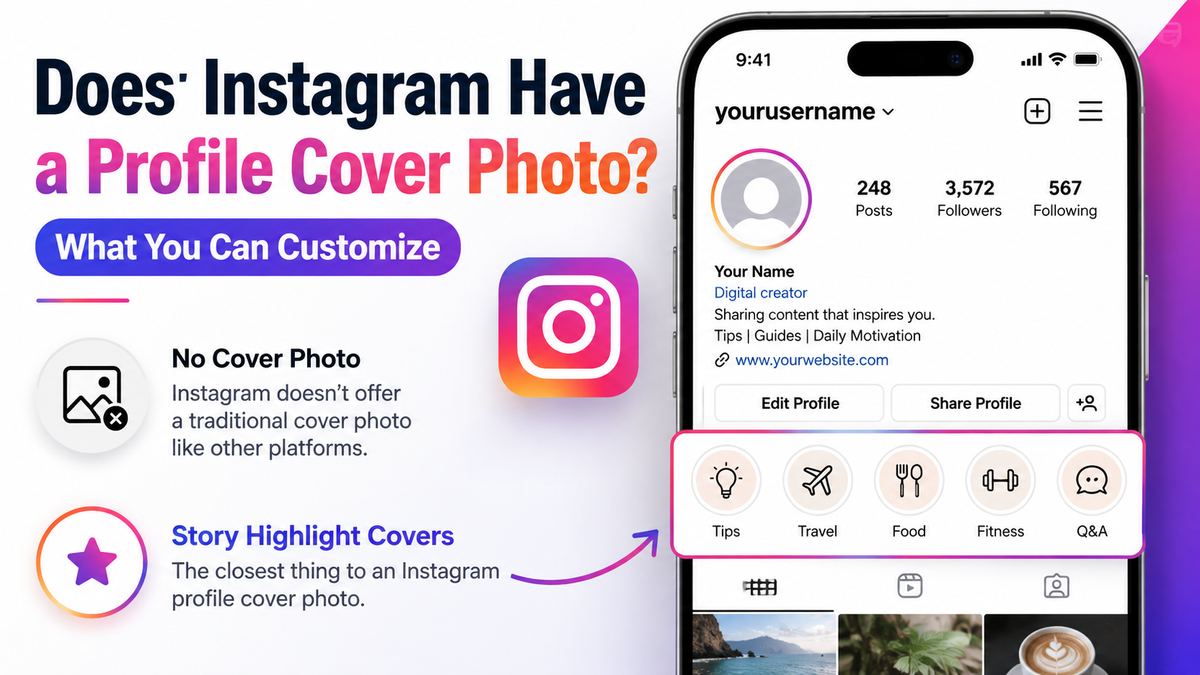
Story Highlight covers are the most practical alternative to an Instagram profile cover photo. They sit directly below the bio and allow you to organize evergreen Story content into visible, branded categories.
Why Highlight Covers Matter
Highlights turn temporary Stories into lasting profile assets. Their circular covers create a row of visual navigation buttons, making them highly visible to profile visitors.
A fitness coach might use Highlight covers for:
- Start Here
- Programs
- Client Wins
- Nutrition
- FAQs
- Free Tips
This setup guides new visitors through the most useful information without forcing them to scroll through months of posts.
How to Create Effective Highlight Covers
You can use a photo from an existing Story as a Highlight cover, but many brands create custom cover graphics for a cleaner look.
For a professional appearance:
- Use one background color or a small, consistent color palette.
- Choose simple icons that remain visible at a small size.
- Keep icon style consistent across every Highlight.
- Use short labels that are easy to scan.
- Avoid overly detailed designs and tiny text.
A restaurant, for example, could use matching icons for “Menu,” “Hours,” “Events,” “Reviews,” and “Location.” A photographer might use covers for “Weddings,” “Portraits,” “Pricing,” “Behind Scenes,” and “Contact.”
Highlight Categories That Add Value
Do not create Highlights simply to fill space. Each one should help a visitor understand your account or take action.
Useful categories include:
- About or Start Here
- Products or Services
- Testimonials or Reviews
- Frequently Asked Questions
- Pricing
- Tutorials
- Behind the Scenes
- Events
- Press Features
- Contact Information
For a personal brand, Highlights can also reinforce credibility by collecting media appearances, audience feedback, client results, or speaking engagements.
Use Your Grid as a Visual Profile Header
Your Instagram grid is not technically a cover photo, but it acts like a visual storefront. When visitors scroll below your bio and Highlights, the first several posts establish your aesthetic, expertise, and content quality.
Create a Cohesive First Impression
You do not need to make every post identical. In fact, an overly rigid grid can make content feel repetitive. Instead, establish a few recognizable visual patterns.
These may include:
- Consistent photo editing or color temperature
- Repeating accent colors
- A recognizable typeface for graphics
- Similar framing for product images
- Regular use of branded templates
- A mix of educational, promotional, and personal content
For example, a financial advisor could use navy and white educational graphics, occasional professional portraits, and simple charts. A food creator may rely on bright natural lighting, overhead recipe shots, and consistent title text on recipe covers.
Pin Important Posts
Pinned posts can make the top of your grid work more like a customizable introduction area. Use them for content that should remain visible to new visitors.
Strong candidates include:
- A “Start Here” introduction
- Your best-performing educational post
- A product or service overview
- A current promotion
- A brand story or mission statement
- A portfolio showcase
- A frequently asked question post
A consultant could pin an introduction Reel, a client-results carousel, and a post explaining how to work together. This gives visitors a clear path before they explore the rest of the profile.
Customize Reel Covers and Post Thumbnails
Reels and carousel posts can be discovered long after publication, so their covers matter. A thoughtful cover makes your content easier to identify from your profile grid and encourages people to tap.
Design Reel Covers for Clarity
A Reel cover should communicate the topic at a glance. If you use text, make it large enough to remain readable in the grid preview.
Good Reel cover text might include:
- “3 Budget Travel Mistakes”
- “My 10-Minute Morning Routine”
- “How to Style One Blazer”
- “Beginner Strength Workout”
- “Before and After: Kitchen Refresh”
Avoid placing key text too close to the edges, where profile cropping can make it difficult to read.
Balance Branding With Authenticity
Branded covers are useful, but they should not make your profile feel like a wall of advertisements. Use templates selectively and leave room for authentic photography, video stills, customer content, and behind-the-scenes moments.
A skincare brand could use clean text-based covers for ingredient explainers, then alternate them with product demonstrations, customer routines, and founder-led videos. The result is both organized and human.
Professional Account Features That Improve Your Profile
Business and creator accounts can provide additional profile tools that help an Instagram profile function as a marketing channel.
Categories and Contact Options
A professional account may display a category label that clarifies what your brand does, such as:
- Photographer
- Clothing Brand
- Restaurant
- Entrepreneur
- Health/Beauty
- Product/Service
- Digital Creator
The right category gives visitors context immediately. Contact options can also make your profile more useful for people who are ready to inquire, book, or buy.
Use Profile Customization to Support a Goal
Every profile choice should connect to a clear objective. Consider what you want a visitor to do after landing on your page.
| Profile Goal | Best Customization Focus | |---|---| | Gain followers | Clear niche bio, strong pinned content, valuable Highlights | | Generate leads | Contact button, service Highlights, testimonial posts | | Sell products | Product-focused link, shopping information, customer proof | | Build authority | Educational pinned posts, credentials, case studies | | Grow a personal brand | Recognizable photo, point-of-view bio, personality-led content |
A profile does not need every available feature. It needs the features that support the next action you want visitors to take.
Best Practices for a Strong Instagram Profile Design
The most effective Instagram profiles feel cohesive without looking overly designed. They make it easy for visitors to understand the account, trust the creator or brand, and take action.
Build a Clear Visual Hierarchy
Visitors should be able to scan your profile in a logical order:
- Profile picture: Who is this?
- Display name and bio: What is this account about?
- Link or action button: What should I do next?
- Highlights: Where can I learn more?
- Pinned posts and grid: Why should I stay?
If any part of this sequence is unclear, refine it. A beautiful profile with a vague message often underperforms compared with a simpler profile that communicates clearly.
Keep Accessibility in Mind
Design should be usable, not just attractive. Improve accessibility by:
- Using high-contrast text on covers and graphics
- Avoiding excessively small text
- Writing clear captions rather than relying only on text in images
- Using straightforward Highlight labels
- Choosing profile images that are easy to recognize
These details help more people engage with your content and improve the overall user experience.
Common Instagram Profile Customization Mistakes
Small profile mistakes can weaken a strong content strategy. Review your profile regularly, especially after a rebrand, launch, or change in business focus.
Treating the Profile Picture Like a Poster
A profile picture is too small for detailed graphics, long slogans, or multiple products. Use one clear visual: a face, logo, or simple brand mark.
Creating Too Many Highlights
A long row of vague or outdated Highlights can overwhelm visitors. Keep your most useful categories first and remove Highlights that no longer serve a purpose.
Ignoring the First Nine Posts
Visitors often judge a profile based on the first section of the grid. Make sure your recent posts represent your current quality, niche, and offers.
Using an Unclear Bio
Avoid bios that are clever but vague. A visitor should not need to guess what you do. Pair personality with clarity.
Designing Without a Conversion Path
Even a visually appealing profile needs a next step. Include a clear link, contact option, or call to action that matches your current goal.
Frequently Asked Questions
Can I add a cover photo to my Instagram profile?
No. Instagram does not offer a traditional profile cover photo or horizontal banner image. You can instead customize your profile picture, bio, Highlights, links, pinned posts, and content grid.
What is the closest thing to an Instagram profile cover photo?
Story Highlight covers are the closest alternative. They appear prominently beneath your bio and can use consistent colors, icons, and labels to create a branded header-like effect.
Can I use a post as an Instagram profile cover?
You cannot place a post behind your profile information as a cover image. However, you can pin important posts to the top of your grid, making them one of the first things profile visitors see.
Should businesses use a logo or photo as their profile picture?
Most businesses should use a simple, recognizable logo. Personal brands, coaches, consultants, and creators often benefit more from a clear headshot because it builds familiarity and trust.
How often should I update my Instagram profile design?
Review your profile whenever your offer, audience, brand identity, or campaign changes. Your profile picture should remain stable unless necessary, while links, pinned posts, and Highlights can be updated more frequently.
Conclusion
Instagram does not have a traditional Instagram profile cover photo, but that does not limit your ability to create a memorable profile. Your profile picture, bio, links, Story Highlight covers, pinned posts, Reel covers, and grid all work together to tell your story.
Focus on clarity first, then consistency. Choose a recognizable profile image, write a bio that explains your value, organize Highlights around visitor needs, and pin content that supports your goals. Review your profile today through the eyes of a first-time visitor—and make every visible element earn its place.