August 19, 2026 · Updated August 24, 2026 · 11 min read
Can You Screenshot a WhatsApp Profile Photo? Privacy and Screenshot Rules Explained
On this page
- The Short Answer: Can You Screenshot a WhatsApp Profile Photo?
- How WhatsApp Screenshot Protection Works
- Will WhatsApp Notify Someone If You Take a Screenshot?
- Why You Might Not See or Capture a Profile Photo
- Privacy, Consent, and Responsible Use
- Best Practices for Professional Settings
- How to Protect Your Own WhatsApp Profile Photo
- Frequently Asked Questions
- Conclusion
Can You Screenshot a WhatsApp Profile Photo? Privacy and Screenshot Rules Explained
You tap a contact’s profile image on WhatsApp, see it in full screen, and want to save it for reference. A quick screenshot seems harmless—until your phone blocks the capture, produces a blank result, or leaves you wondering whether the other person will be notified.
The answer to whether you can take a screenshot WhatsApp profile photo is no longer a simple yes or no. WhatsApp has introduced screenshot protections for profile photos in some app versions and devices, while privacy settings determine whether you can see the photo at all. Just as importantly, a technical possibility is not always permission to copy or share someone else’s image.
This guide explains what happens when you try, what WhatsApp does and does not notify people about, and how to protect your own profile photo.
Key Takeaways
- WhatsApp may block screenshots of full-screen profile photos, depending on your app version, device, and rollout status.
- WhatsApp generally does not send a notification when someone attempts to screenshot a profile picture.
- A blocked screenshot is a privacy safeguard, not a guarantee that an image can never be copied.
- Profile-photo visibility is controlled through WhatsApp’s privacy settings, including contact-based exclusions.
- For personal or professional use, asking the photo owner for permission is the most reliable and respectful option.
The Short Answer: Can You Screenshot a WhatsApp Profile Photo?
Screenshot behavior can vary
In many current WhatsApp versions, attempting to screenshot a contact’s full-screen profile photo may be blocked. Depending on the phone and app build, you may see a warning, a blank capture, or no saved image at all. WhatsApp began rolling out this protection to reduce casual copying and misuse of profile images. Reports on the feature’s rollout note that availability can differ across devices and versions.
That means the practical answer is:
- Sometimes: A screenshot may still work in certain app versions, views, or platforms.
- Often no: Full-screen profile-photo views may prevent capture.
- Not reliably: You should not assume the same result on every Android phone, iPhone, desktop app, or WhatsApp Web session.
Visibility and screenshotting are separate issues
Being able to view a profile photo does not automatically mean WhatsApp allows you to save it. There are two distinct layers:
- Visibility: The account owner decides who may see their profile photo.
- Capture protection: WhatsApp may restrict screenshots once the image is opened.
For example, a colleague may allow all saved contacts to view their profile image but still benefit from screenshot blocking when someone opens it full screen.
How WhatsApp Screenshot Protection Works
It is designed to discourage casual copying
Screenshot protection aims to make it harder to copy a profile photo directly from the app. This can help reduce impersonation, unwanted reposting, harassment, and the use of personal images outside their intended context.
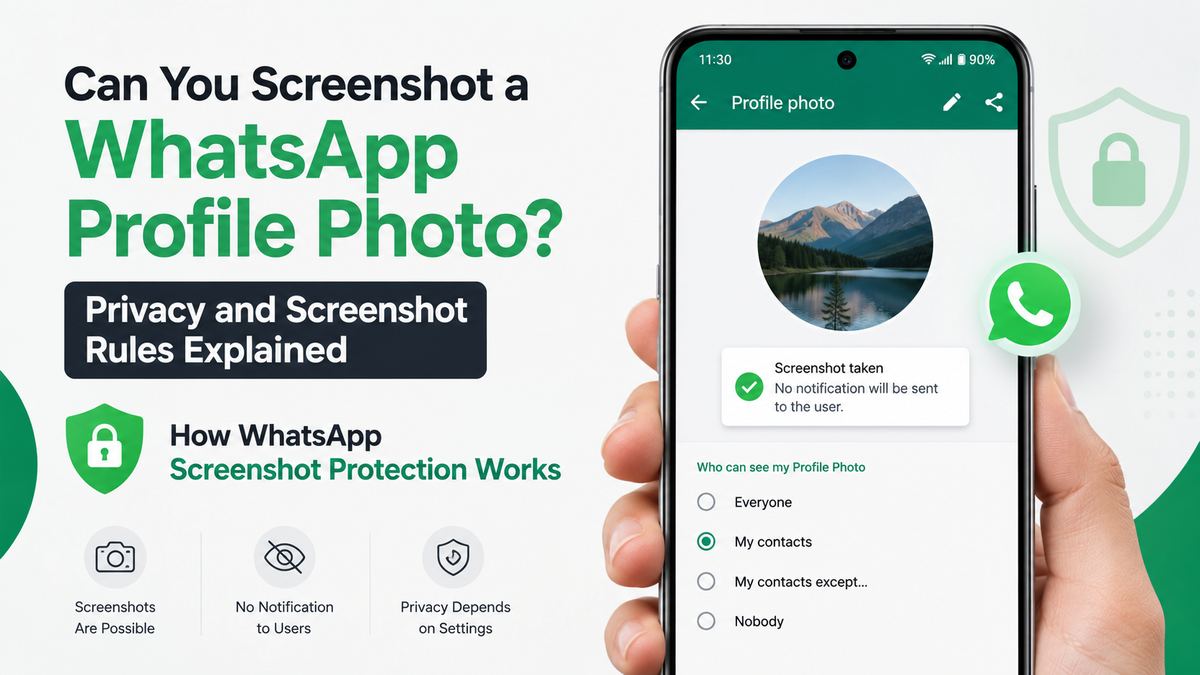
The feature is especially meaningful for people who use WhatsApp for work, community groups, client communication, or public-facing roles. A profile photo can reveal identity, location clues, workplace information, family members, or other details a person did not intend to distribute widely.
It is not a perfect digital lock
No screenshot restriction can fully control what happens after an image appears on another person’s screen. Someone could potentially photograph a screen with another device or encounter a different platform behavior.
That limitation matters because screenshot blocking should be viewed as friction—not as absolute protection. It reduces easy, impulsive copying, but it does not replace careful privacy choices.
A sensible rule is: only use a profile photo you would be comfortable having viewed by the people allowed to see it.
View Once media follows different rules
Do not confuse a WhatsApp profile photo with a View Once image sent in a chat. View Once media is a separate feature intended for photos, videos, and voice messages that disappear after opening. WhatsApp has specifically described screenshot blocking as a privacy layer for View Once messages. WhatsApp’s privacy announcement explains that the feature was designed to reduce permanent records of temporary media.
Profile-photo protection and View Once restrictions can overlap in purpose, but they are not the same setting.
Will WhatsApp Notify Someone If You Take a Screenshot?
Profile-photo screenshot notifications are not a standard feature
WhatsApp does not generally send the profile-photo owner a notification saying that you took—or tried to take—a screenshot. If capture is restricted, the action is typically handled on your device rather than reported to the other person.
This differs from the expectations many people have from certain social platforms. On WhatsApp, the relevant question is usually whether the app permits the screenshot, not whether the other person receives an alert.
No notification does not equal consent
The absence of a notification is not a signal that copying is acceptable. A profile image may be visible for basic identification in a conversation, not for downloading, reposting, or using in another context.
Consider these examples:
- Saving a coworker’s image to identify them in a large project group may be unnecessary when their name and contact details already exist.
- Sharing a client’s WhatsApp photo in a presentation, social post, or internal chat can create reputational and privacy issues.
- Reusing someone’s image in a fake profile, joke post, or promotional material can be harmful and may violate platform rules or applicable law.
When in doubt, ask before saving or sharing.
Why You Might Not See or Capture a Profile Photo
Privacy settings may limit access
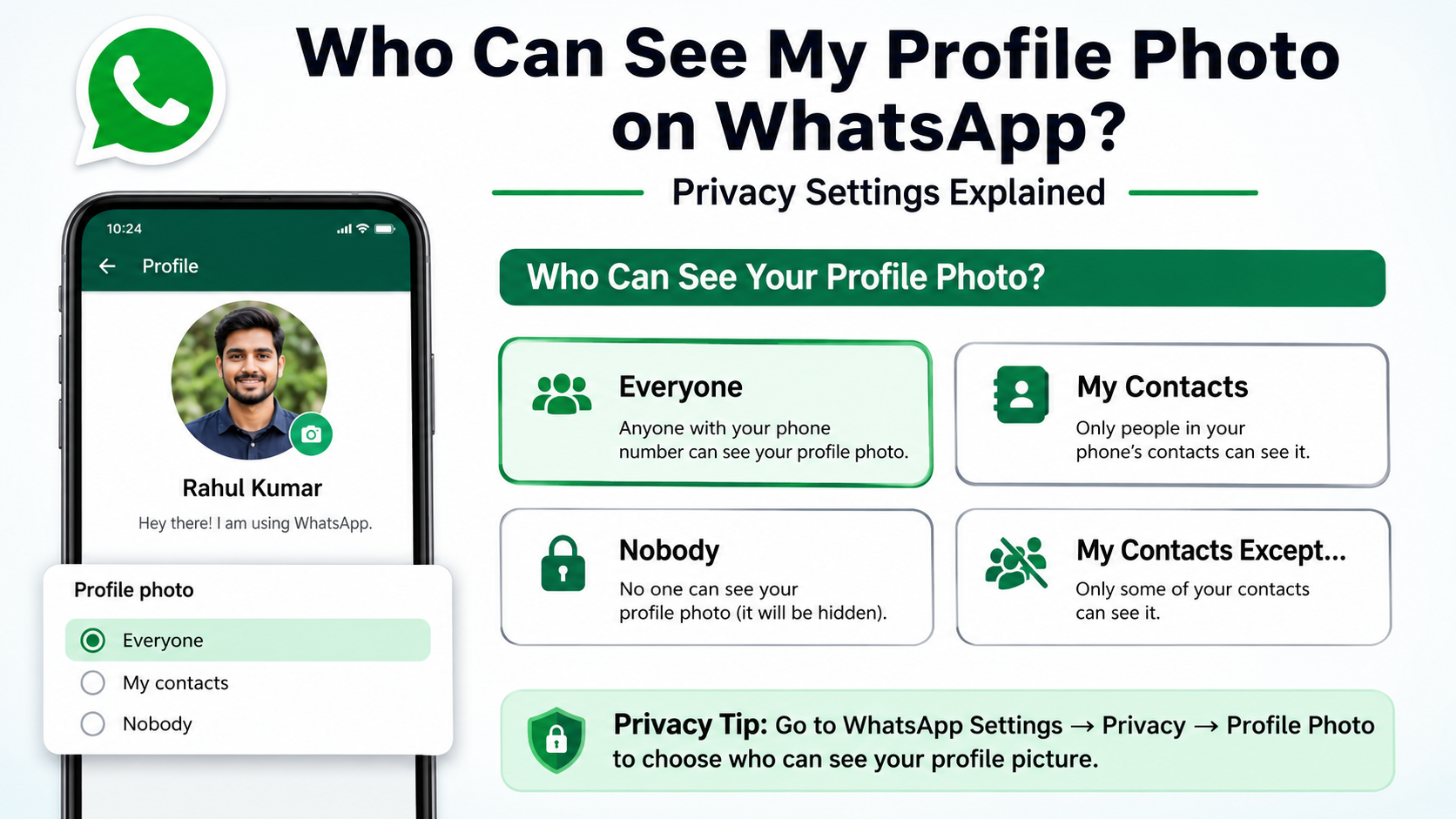
WhatsApp lets users control profile-photo visibility through privacy settings. Common visibility choices include:
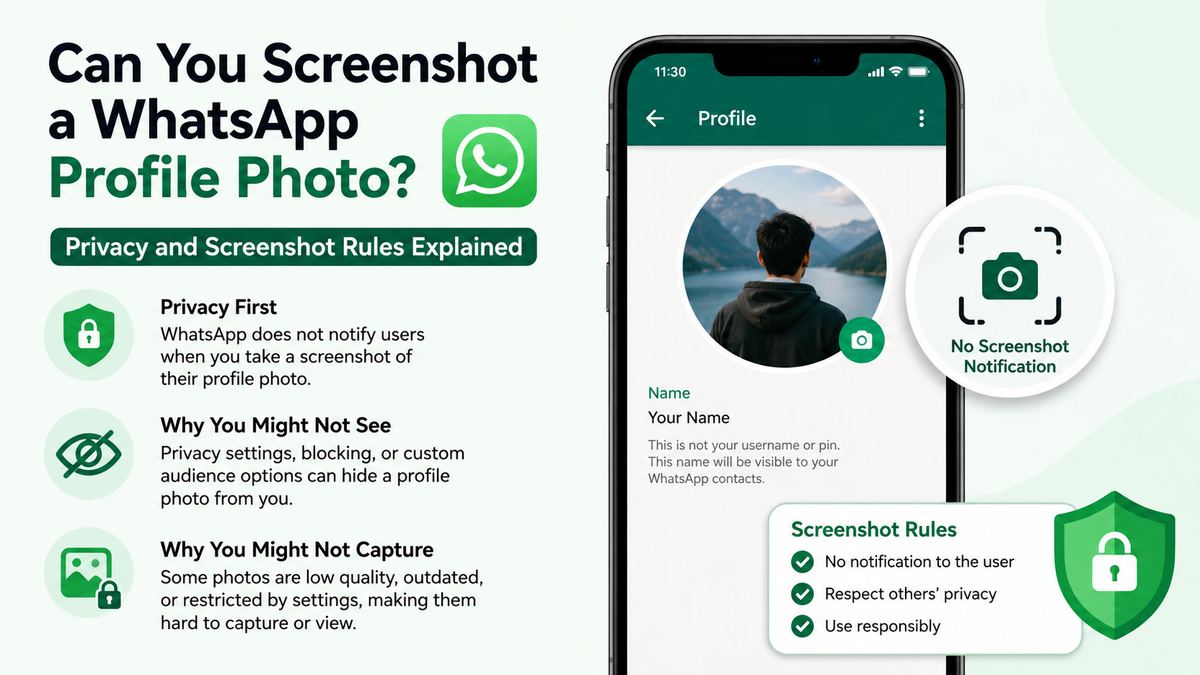
- Everyone
- My Contacts
- My Contacts Except…
- Nobody
Someone may choose “My Contacts” so unknown numbers cannot view their image, or use “My Contacts Except…” to exclude particular people. This gives users more control than a simple public-or-private switch.
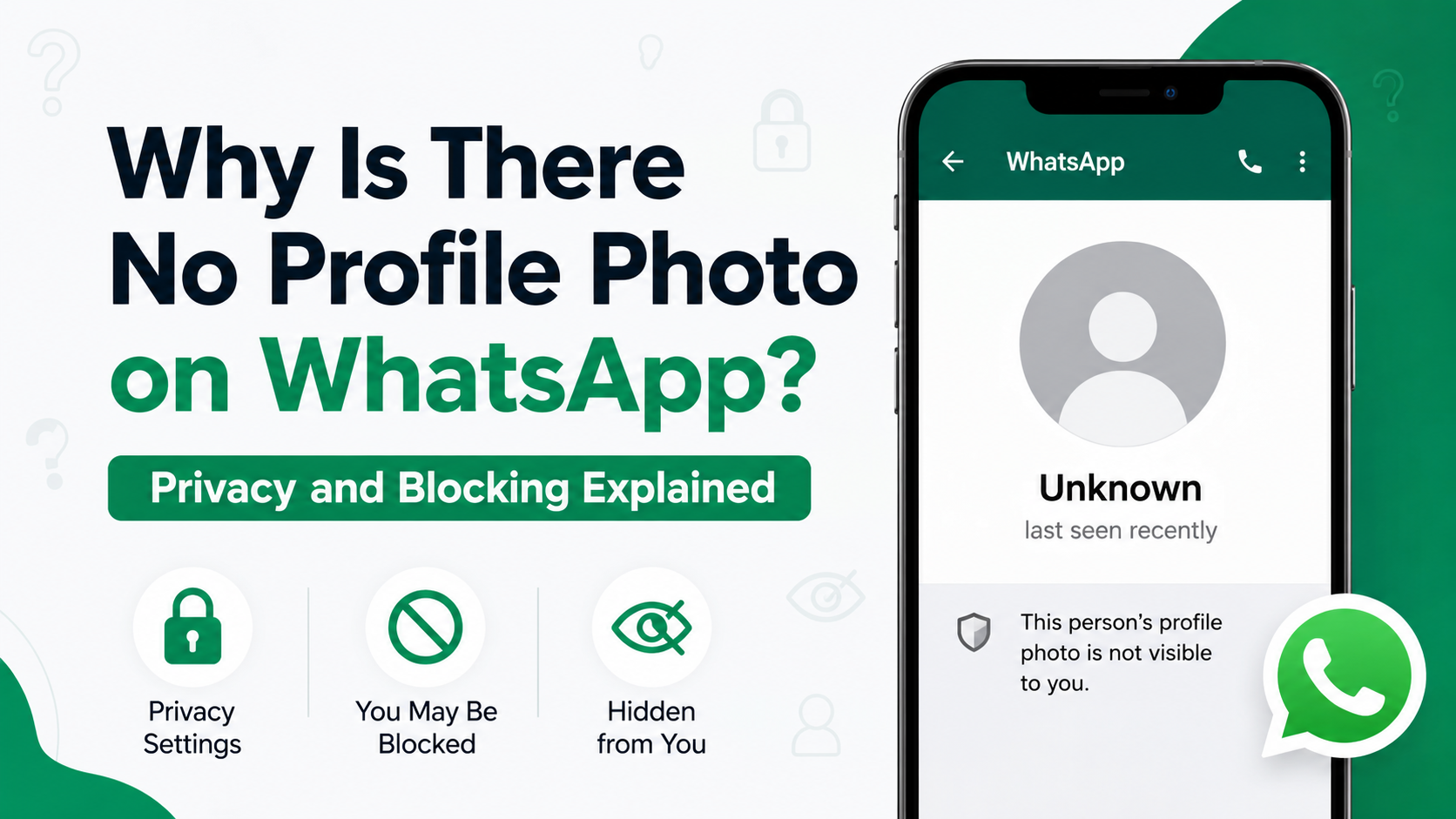
A missing photo does not prove you were blocked
If a contact’s profile photo disappears or is unavailable, several explanations are possible:
- They removed their photo.
- They changed their privacy settings.
- You are not included in the audience allowed to view it.
- Your contact details are not saved on their phone, depending on their setting.
- They may have blocked you.
- The app has not refreshed properly.
Avoid treating a missing profile photo as evidence of one specific action. WhatsApp intentionally limits certainty around blocking and other privacy signals.
Technical issues can look like restrictions
Before assuming WhatsApp blocked a screenshot or removed access, check the basics:
- Update WhatsApp from the official app store.
- Confirm that your phone’s operating system is current.
- Restart the app if the image fails to load.
- Check your connection.
- Ask the person directly if there is a legitimate reason you need the image.
This approach is better than relying on unofficial workarounds, which can create security, privacy, or account-risk problems.
Privacy, Consent, and Responsible Use
Treat profile photos as personal information
A WhatsApp profile photo may be a casual selfie, but it can still be personal data. Context matters. A person might use it only so friends, relatives, teammates, or clients can recognize them in conversations.
Before copying an image, ask:
- Why do I need this image?
- Would the person reasonably expect me to save it?
- Will I share it with anyone else?
- Could saving or sharing it expose them to harm, embarrassment, or confusion?
- Do I have clear permission for the intended use?
These questions are particularly important if the image belongs to a minor, customer, employee, patient, student, or someone in a sensitive situation.
Avoid “workarounds” that defeat privacy features
Searching for ways around a screenshot restriction may feel convenient, but it misses the purpose of the feature. If WhatsApp blocks the capture, the safest interpretation is that the platform is encouraging users to pause before making a copy.
Rather than trying to bypass the restriction:
- Ask the person to send you the original image.
- Request a professional headshot for business use.
- Use an approved company directory photo.
- Ask for written permission before adding an image to a document or post.
Respecting boundaries protects both the photo owner and the person handling the image.
Best Practices for Professional Settings
Get explicit permission for business use
In professional contexts, a WhatsApp profile photo should not automatically become marketing, HR, or directory content. A consultant’s profile picture is not necessarily approved for a company website. A client’s image is not automatically cleared for a testimonial graphic.
Use a simple written request, such as:
“May we use this headshot in the event speaker page and our LinkedIn announcement?”
Be specific about where the image will appear, whether it may be edited, and how long it will be used.
Use approved image sources
Organizations should establish a clear source of truth for staff and partner photos. Better options include:
- An employee directory with consent-based headshots
- A shared brand asset library
- A speaker submission form
- A client approval workflow
- A designated company profile image
This reduces confusion, prevents outdated imagery, and avoids relying on private messaging profiles as unofficial image repositories.
Keep copies secure and limited
If you receive permission to use an image, store it responsibly. Limit access to people who need it, avoid forwarding it through unrelated chats, and remove it when the approved use ends.
For regulated industries or sensitive roles, follow your organization’s data-handling policy and any relevant privacy requirements.
How to Protect Your Own WhatsApp Profile Photo
Review your profile-photo audience
To adjust who can see your image, open WhatsApp and go to:
Settings → Privacy → Profile Photo
Choose the audience that best fits your needs. For many people, My Contacts offers a practical middle ground. If you need more control, use My Contacts Except… to exclude particular contacts.
Choose an image with privacy in mind
A strong profile photo does not need to reveal everything. Consider using:
- A simple professional headshot
- A cropped image without location details
- A logo or brand mark for business accounts
- An image without children, home addresses, vehicle plates, or sensitive documents in the background
If you receive unsolicited messages, adjust privacy settings and consider blocking or reporting unwanted contacts.
Update privacy habits regularly
Your contact list and communication needs change over time. Review your WhatsApp privacy controls after a job change, move, public event, business launch, or conflict with an unwanted contact.
WhatsApp’s broader privacy toolkit also includes controls for last seen, online status, groups, status updates, calls, and blocked contacts. Reviewing these settings together provides stronger protection than focusing on profile photos alone.
Frequently Asked Questions
Can you screenshot a WhatsApp profile photo on iPhone?
It may be possible in some situations, but WhatsApp can block screenshots of full-screen profile photos depending on the app version and feature rollout. If your capture is blocked or blank, do not try to circumvent the restriction; ask the person for the image instead.
Can you screenshot a WhatsApp profile photo on Android?
Android users may also encounter screenshot protection when opening a profile photo in full screen. Results can vary by device, WhatsApp version, and how broadly the feature has rolled out. Update the app before assuming the behavior is a bug.
Does WhatsApp notify someone when you screenshot their profile photo?
WhatsApp does not generally notify someone when you screenshot or attempt to screenshot their profile photo. However, ethical use still requires respecting the person’s expectations and seeking permission before sharing or repurposing the image.
Why is a WhatsApp profile photo screenshot blocked?
Screenshot blocking is intended to reduce easy copying, impersonation, and non-consensual sharing of profile pictures. It acts as a privacy safeguard, even though no digital restriction can fully prevent someone from reproducing an image by other means.
Can someone tell if I saved their WhatsApp profile photo?
There is no standard WhatsApp notification that tells someone you saved or attempted to screenshot their profile image. Still, saving or sharing an image without permission can damage trust and create professional or legal concerns depending on how it is used.
Conclusion
A screenshot WhatsApp profile photo may work in some circumstances, but WhatsApp increasingly restricts full-screen captures to support user privacy. The app does not generally notify profile owners about screenshot attempts, yet that technical detail should never replace consent.
For personal use, pause and ask whether saving the image is necessary. For professional use, obtain explicit permission and use approved image sources. And for your own account, review profile-photo visibility settings so your image is shared only with the audience you choose.