August 19, 2026 · 11 min read
What Is a Profile Photo on Facebook? Complete Guide for Beginners
On this page
- What Is a Facebook Profile Photo?
- Where Does Your Facebook Profile Photo Appear?
- How to Choose a Good Facebook Profile Photo
- Understand Facebook Profile Photo Size and Cropping
- How to Add or Change Your Facebook Profile Photo
- Privacy and Safety Considerations
- Common Facebook Profile Photo Mistakes to Avoid
- Frequently Asked Questions
- Conclusion
What Is a Profile Photo on Facebook? Complete Guide for Beginners
Your Facebook profile photo is one of the first things people notice when they find your account, see a comment you left, receive a friend request, or visit your profile. It may seem like a small detail, but it plays a major role in helping others recognize, trust, and remember you.
Whether you use Facebook to stay in touch with friends, build a professional network, promote a business, or manage a Page, the right image helps represent you clearly. This guide explains what a Facebook profile photo is, where it appears, how to update it, and how to choose one that works well.
Key Takeaways
- Your Facebook profile photo is the small image displayed beside your name across Facebook.
- Your current profile photo is generally public, so choose an image you are comfortable sharing widely.
- Use a clear, well-lit image with your face or brand mark centered for the best results.
- Facebook displays profile photos in circular and thumbnail formats, so avoid putting important details near the edges.
- Personal profiles usually work best with recognizable headshots, while business Pages should use a logo or consistent brand image.
- Review older profile photos and related privacy settings to control what remains visible on your account.
What Is a Facebook Profile Photo?
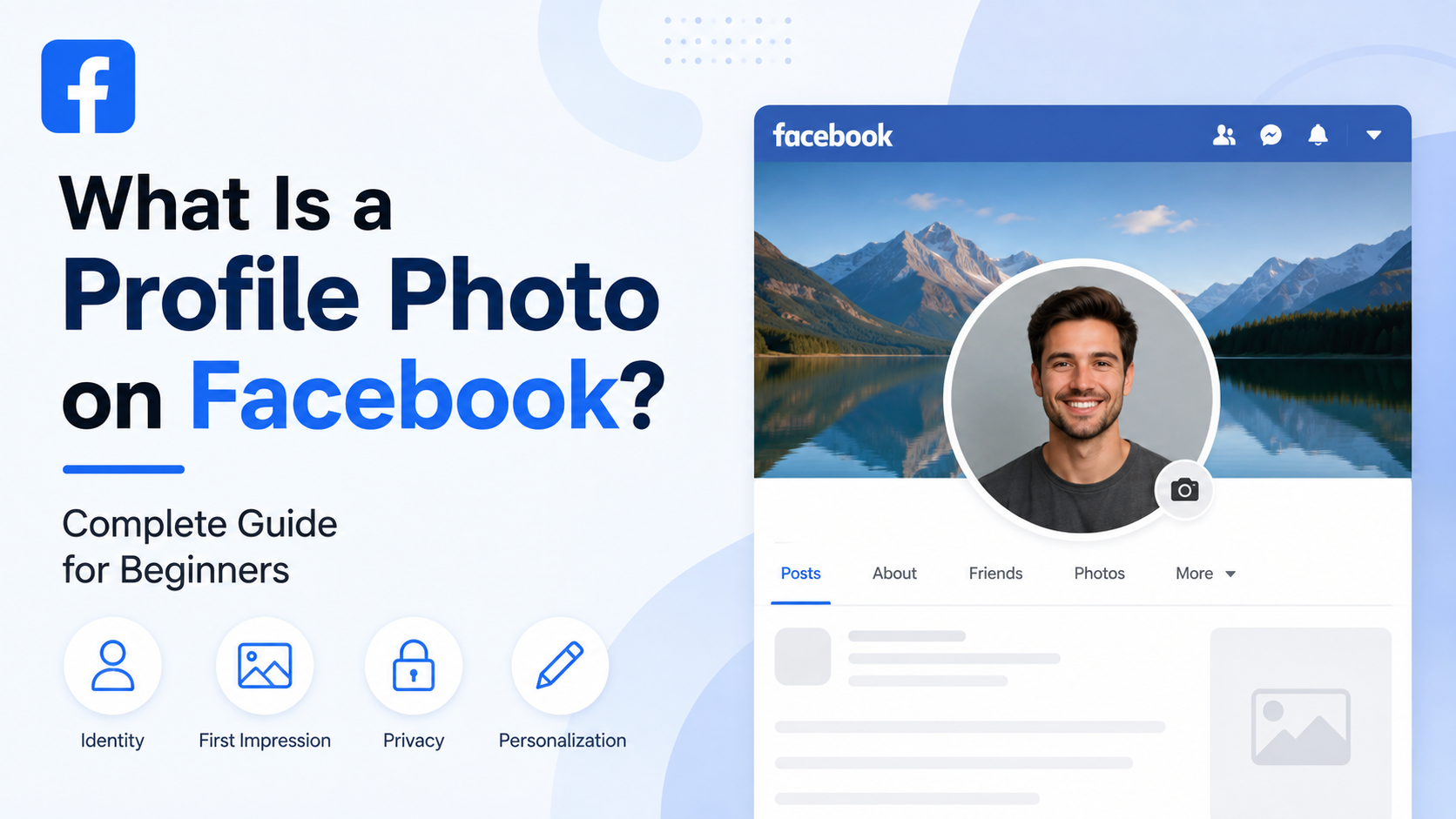
A Facebook profile photo is the main image associated with your personal account or Facebook Page. It appears at the top of your profile and in smaller versions throughout the platform.
Its Main Purpose
The primary purpose of a profile photo is identification. Facebook uses the image to help people distinguish your account from others with similar names.
For example, if several people named “Alex Johnson” appear in search results, a familiar profile photo makes it easier for friends, coworkers, or clients to identify the right person.
A profile photo also communicates something about your online identity. It can signal that an account belongs to:
- An individual
- A business or organization
- A public figure or creator
- A community group
- A cause, campaign, or event
Profile Photo vs. Cover Photo
A Facebook profile photo is different from a cover photo.
Your profile photo is the smaller, identity-focused image that appears next to your name. Your cover photo is the larger banner image shown across the top of your profile or Page.
For a personal account, your profile photo might be a close-up portrait, while your cover photo could show a vacation, hobby, family moment, or landscape. For a business, the profile photo is often a logo, while the cover photo can promote products, services, events, or brand messaging.
Where Does Your Facebook Profile Photo Appear?
Your Facebook profile photo is not limited to your profile page. It follows your name across many Facebook features, which is why clarity matters.
Common Places People See It
Your profile photo may appear:
- On your profile page
- Beside posts you publish
- Next to comments and replies
- In Facebook search results
- In friend requests
- In Messenger conversations
- In groups and community discussions
- In notifications and activity feeds
- In tagged content, depending on the post and privacy settings
In many of these spaces, the image appears as a very small thumbnail. A beautiful full-length photo may look fine on your profile but become difficult to recognize when reduced to a small circle.
Why Consistency Builds Recognition
Using the same or a similar photo across Facebook, LinkedIn, Instagram, email accounts, and professional platforms can make you easier to recognize.
For instance, a consultant who uses the same polished headshot on Facebook and LinkedIn creates a more cohesive professional presence. A local café that uses the same logo on Facebook, Google Business Profile, and its website helps customers recognize the brand quickly.
How to Choose a Good Facebook Profile Photo
The best Facebook profile photo depends on whether you are representing yourself or a business. In both cases, the goal is simple: make the image clear, recognizable, and appropriate for your audience.
Best Practices for Personal Profiles
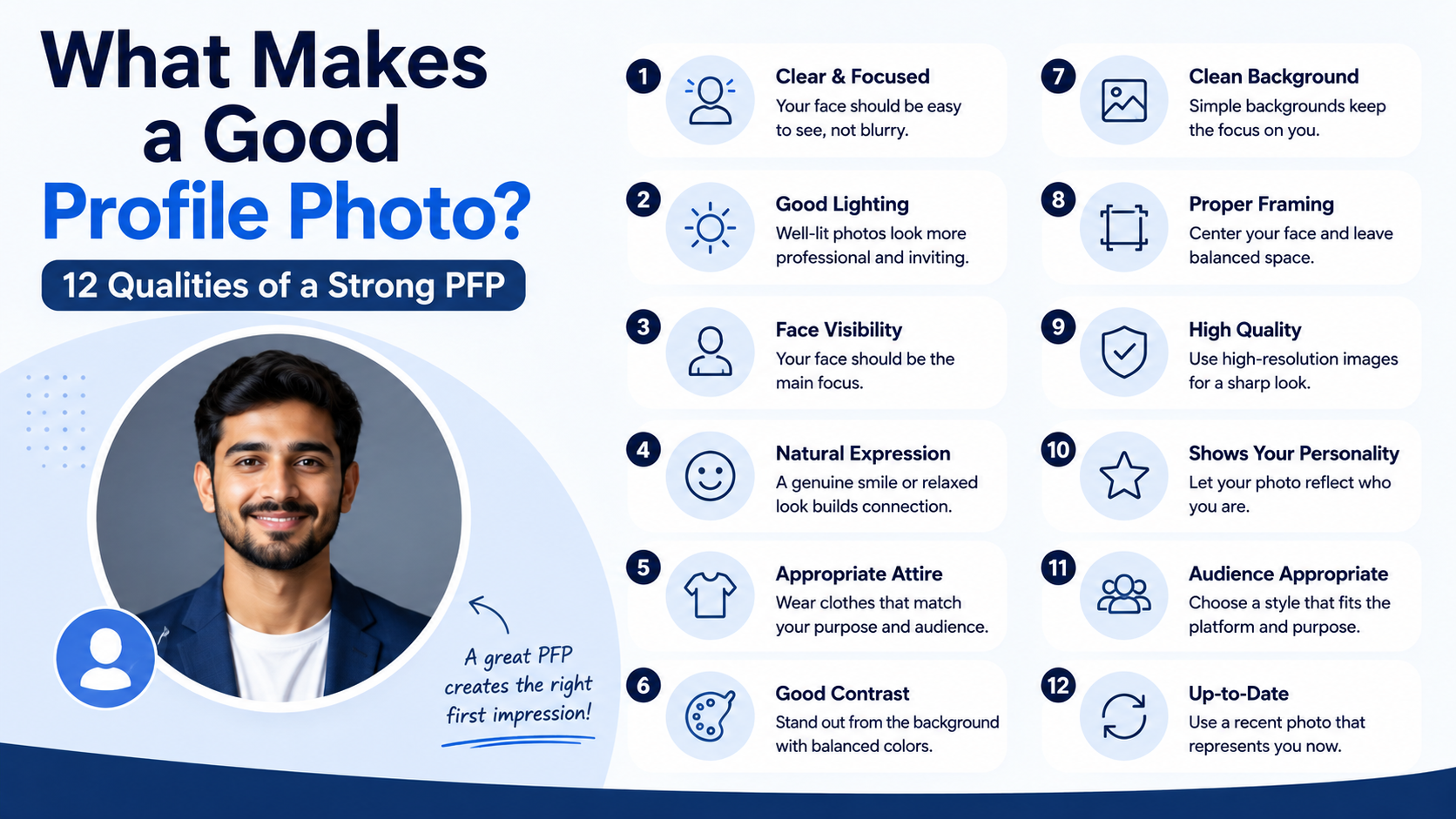
For a personal Facebook profile, choose a recent image that shows your face clearly. You do not need a formal studio portrait, but the picture should be easy to understand at a glance.
A strong personal profile photo usually includes:
- Good lighting, preferably natural or even indoor lighting
- A clear view of your face
- A simple or uncluttered background
- A relaxed, natural expression
- A current photo that resembles how you look now
- Clothing appropriate for the people who may view your account
For example, a teacher may choose a warm, approachable headshot. A freelancer may use a professional-looking portrait. Someone using Facebook mainly for family and friends might select a candid but clear photo from a meaningful occasion.
Best Practices for Business Pages
A Facebook Page represents a business, brand, nonprofit, or public organization. In most cases, the best Facebook profile photo for a Page is a logo.
Choose a logo that is:
- High contrast and easy to read at a small size
- Centered within the image
- Free from tiny text or overly detailed graphics
- Consistent with your website and other social channels
- Easy to recognize without relying on the cover photo
For example, a bakery with a detailed horizontal logo may need a simplified icon version for its profile photo. A small circular emblem with the business initials may work much better than a wide wordmark that becomes unreadable when cropped.
Understand Facebook Profile Photo Size and Cropping
Facebook profile photos are displayed in different sizes depending on the device and location. Since they are often shown in a circular frame, planning for cropping is essential.
Use a Square, High-Quality Image
Start with a square image. Facebook recommends using an image that is at least 320 pixels wide and 320 pixels tall for good quality.
A larger square image is often even better because it gives Facebook more detail to work with. For example, a 1080 x 1080 pixel image is a practical choice for many users and businesses.
Avoid uploading blurry screenshots, heavily compressed images, or photos that are too dark. They can look even less polished when displayed in a small thumbnail.
Keep Important Details in the Center
Although you may upload a square image, Facebook often displays it as a circle. Corners and outer edges can be cut off.
Keep faces, logos, and important text in the center area. Do not place a person’s face too close to the edge, and do not rely on small text around the outside of a logo.
Before saving, preview the crop. Ask one simple question: “If someone sees this at the size of a comment icon, will they still know it is me or my business?”
How to Add or Change Your Facebook Profile Photo
Facebook’s exact menus can vary slightly between desktop, iPhone, Android, and app versions. However, the general process is similar.
Changing It From Your Profile
To update a personal profile photo:
- Open Facebook and go to your profile.
- Select or tap your current profile photo.
- Choose the option to update, select, or change your profile picture.
- Upload a new image or select one from your Facebook photos.
- Adjust the crop and thumbnail position.
- Save your changes.
Facebook may also offer options such as adding a frame or selecting a temporary profile picture.
Updating a Facebook Page Photo
To change a Page’s profile photo, first switch into the Page or access its management view. Then select the Page’s current profile image and choose the option to upload or select a new one.
Only people with the appropriate Page access can make this change. If several team members manage the Page, establish a simple approval process so the brand image is not changed accidentally or inconsistently.
Temporary Profile Pictures
A temporary profile picture allows you to set an image for a limited period before Facebook returns to your previous one. This can be useful for:
- Celebrating a holiday or event
- Supporting a campaign or cause
- Promoting a short-term initiative
- Marking an anniversary, launch, or awareness month
Use temporary photos thoughtfully. If professional recognition matters, make sure the temporary design still keeps your face or logo visible.
Privacy and Safety Considerations
A Facebook profile photo is not just a design choice; it is also a privacy decision. Your current profile photo is generally public, meaning it may be visible to people on and off Facebook.
What Public Visibility Means
Because your current photo can appear in search, comments, shared posts, and friend requests, do not treat it like a private family album image.
Avoid using a profile photo that reveals sensitive information, such as:
- Your home address or house number
- A child’s school name or uniform details
- Travel documents or work badges
- Vehicle license plates
- Financial documents or screens
- Private location details
For a family photo, consider whether every person in the image is comfortable being publicly visible.
Review Older Profile Photos
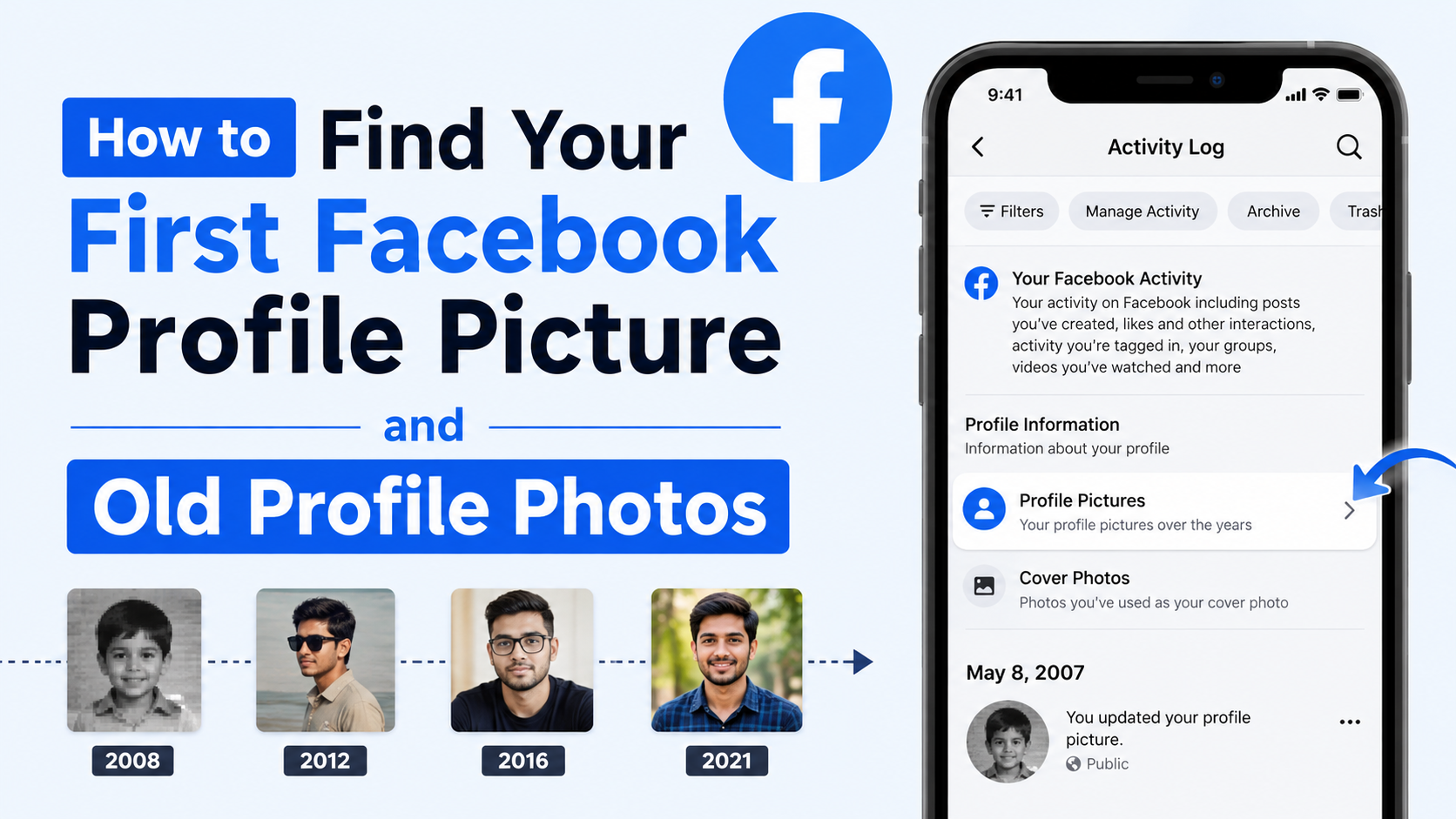
While your current Facebook profile photo is public, older photos you previously used as profile pictures can have different audience settings. Review your Profile Pictures album periodically.
If an old image no longer reflects your professional image or personal comfort level, you can adjust its audience settings or remove it. This is particularly helpful if you have used Facebook for many years and accumulated outdated photos.
Protect Your Account, Not Just Your Image
A recognizable profile photo can help legitimate contacts find you, but scammers may also copy public images to create impersonation accounts.
To reduce risk:
- Use a strong, unique Facebook password.
- Turn on two-factor authentication.
- Be cautious about friend requests from duplicate accounts.
- Tell friends to report accounts pretending to be you.
- Review privacy settings and use Facebook’s profile-viewing tools when available.
Common Facebook Profile Photo Mistakes to Avoid
A profile photo does not need to be perfect, but certain mistakes can make it less effective.
Using a Group Photo
A group photo may hold sentimental value, but it creates confusion when people are trying to identify you. Visitors should not have to guess which person is the account owner.
If you love the image, crop it so only you are clearly visible.
Choosing an Overly Distant or Dark Image
A scenic photo where you are tiny in the background may look appealing, but it does not function well as a profile photo. Similarly, a dark, backlit, or blurry photo makes recognition difficult.
Use the image as a profile photo only if your face or logo remains clear in thumbnail form.
Adding Too Much Text
Text-heavy graphics are rarely effective for profile images because Facebook displays them at small sizes. If you manage a business Page, reserve slogans, phone numbers, promotional offers, and detailed messages for the cover photo or posts.
Your profile photo should prioritize recognition over explanation.
Frequently Asked Questions
Can anyone see my Facebook profile photo?
Your current Facebook profile photo is generally public, which means it can be visible to people on or off Facebook. This is why it is important to choose an image you are comfortable displaying broadly. Older profile photos may have adjustable audience settings.
Can I use a logo as my personal Facebook profile photo?
You can, but it may make it harder for friends, colleagues, or potential contacts to recognize you. A logo is usually more suitable for a Facebook Page. If you use a personal account for professional networking, a clear headshot is often the stronger choice.
Why does my Facebook profile photo look cropped?
Facebook displays profile photos in circular and thumbnail formats. Parts of a square image, especially near the corners, may not be visible. Reposition the image and keep the most important details centered before saving.
How often should I change my Facebook profile photo?
There is no fixed rule. Update it when it no longer looks like you, when your professional role changes significantly, or when your brand identity is refreshed. Avoid changing it too frequently if consistent recognition is important.
Can I remove an old Facebook profile photo?
Yes. You can open your Profile Pictures album, select an older image, and choose the available option to delete it or adjust who can view it. Review the image carefully before deleting, especially if it appears in past posts or memories.
Conclusion
A Facebook profile photo is your visual identifier across profiles, comments, messages, searches, and friend requests. A clear, centered, high-quality image helps people recognize you quickly, while a well-designed logo helps a business Page look credible and consistent.
Choose an image that matches your purpose, keep important details away from the edges, and remember that your current Facebook profile photo is generally public. Take a few minutes to review your photo today—then update it if it no longer represents the person or brand you want people to see.
Advertisement